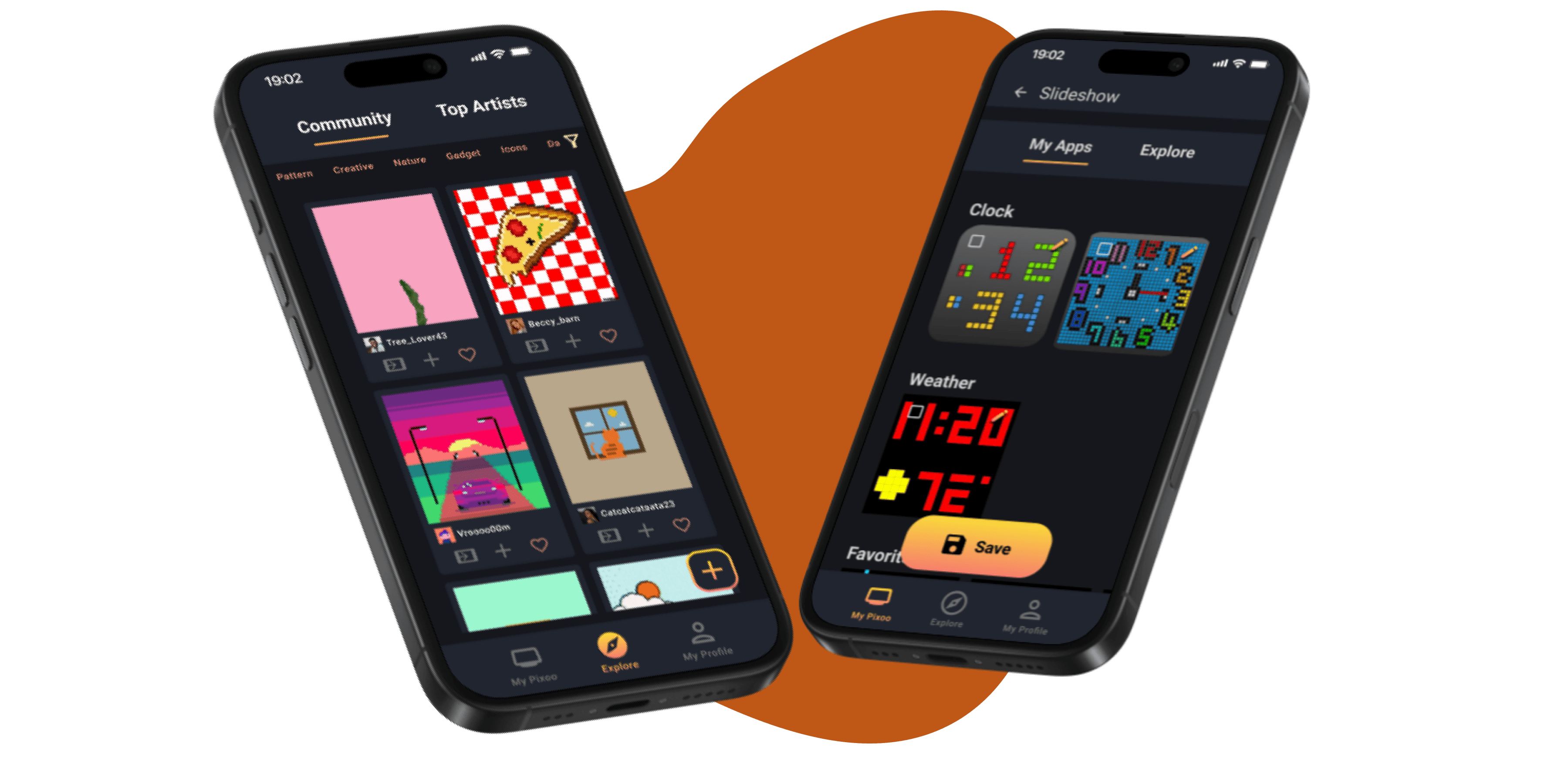
Divoom App Redesign
Redesign for an app that allows users to display animated pixel art on a Pixoo device
Overview: What is Divoom?
The Company
Divoom International is a company specializing in innovative audio products and pixel art gadgets. Founded in 2006 by music enthusiasts, Divoom combines aesthetic design with high-quality sound, offering products like portable speakers and unique pixel art items such as the Pixoo.

The Product
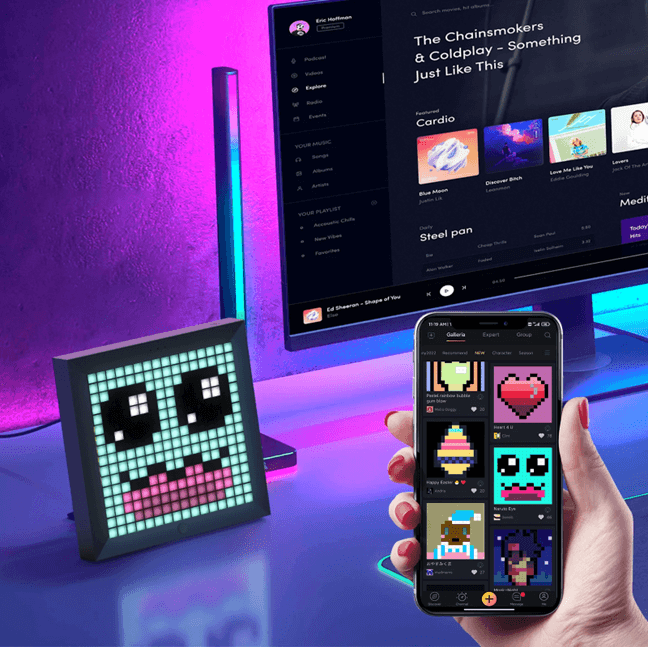
The Divoom Pixoo is a pixel art picture frame. Users can change what is displayed through its app “Divoom: pixel art editor”.
The frame can display any artwork in its window, which there are three main models: 16x16, 32x32, and 64x64. It also has a variety of features such as a wall clock, music visualizer, and weather.
Users can also create their own artwork and upload it through the app and share their creations with others on the app.

My Process
1
Research
Review Analysis
User Research
Competitor Analysis
User Survey
2
Synthesis
Personas
Requirements
3
Ideation
Storyboard
Sketches
4
Prototype
Pain Points and Solutions
5
Testing
Research
Review Analysis
I analyzed 50+ reviews on the Google Play Store to gather insights into the problems that users experienced with the app.
Despite having a 4.8 star rating on Google Play, positive and negative reviews overwhelming mention poor usability:

3 key issues to address:

TOO MANY MENUS Users mention that the app is unintuitive and difficult to navigate

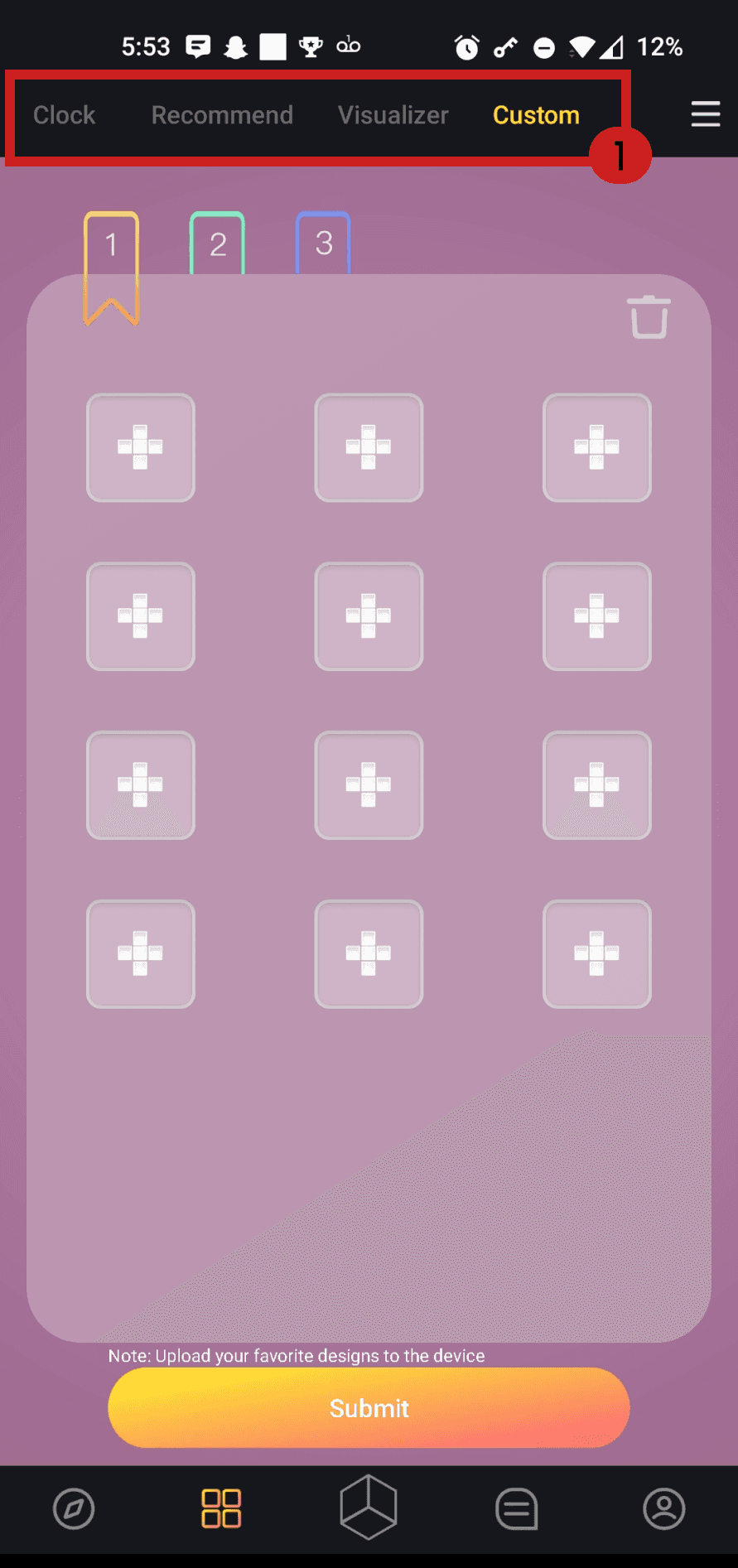
MISSING SLIDESHOW FUNCTIONS Users are frustrated that features like the Clock and Weather can't be played through the slideshow feature

LACK OF ERROR RECOVERY One user was upset that the design they were making was lost after hitting the back button once
Competitor Research
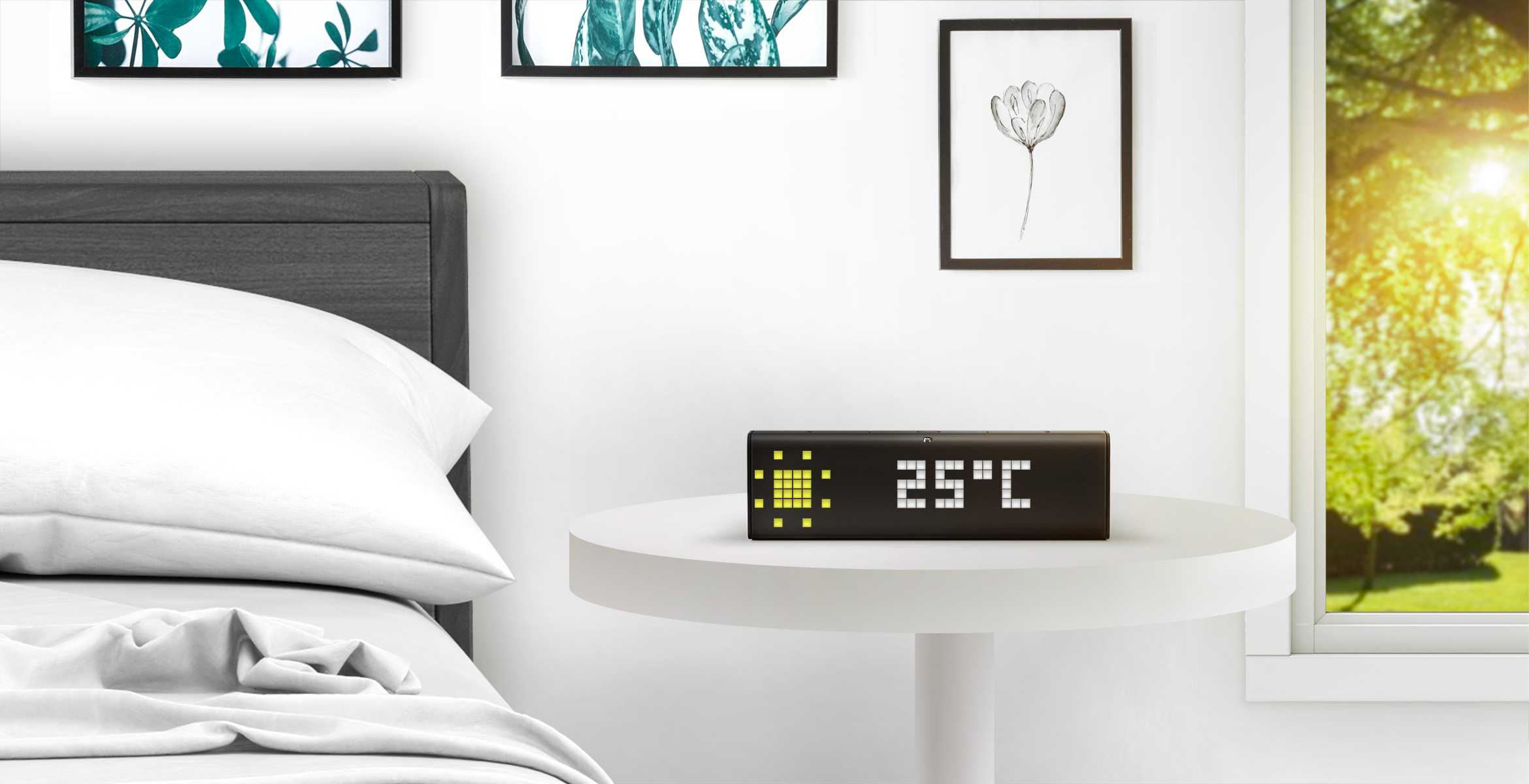
LaMetric is a smart clock similar to Divoom's Pixoo. It allows users access it through an app, controlling the clock faces and design through a pixelated display.

Synthesis
To further validate the problem space, I analyzed a similar app and devised a rough sitemap of Divoom.
Sitemap
Here you can see my comments about some of the mislabeled, confusing, and/or redundant features contained within the app.
Storyboard
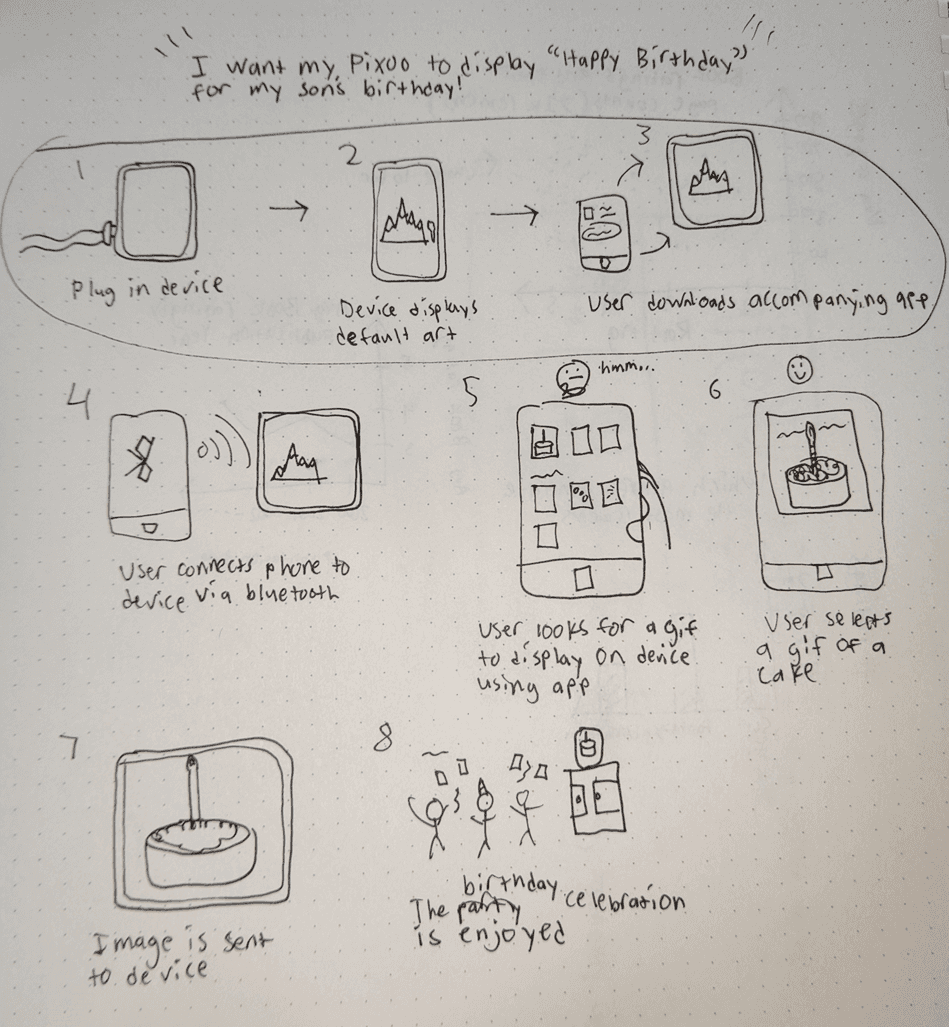
This example shows how the app could be used to display a birthday cake for a birthday party.
Initial Sketches

Main navigation tabs were consolidated and named appropriately.
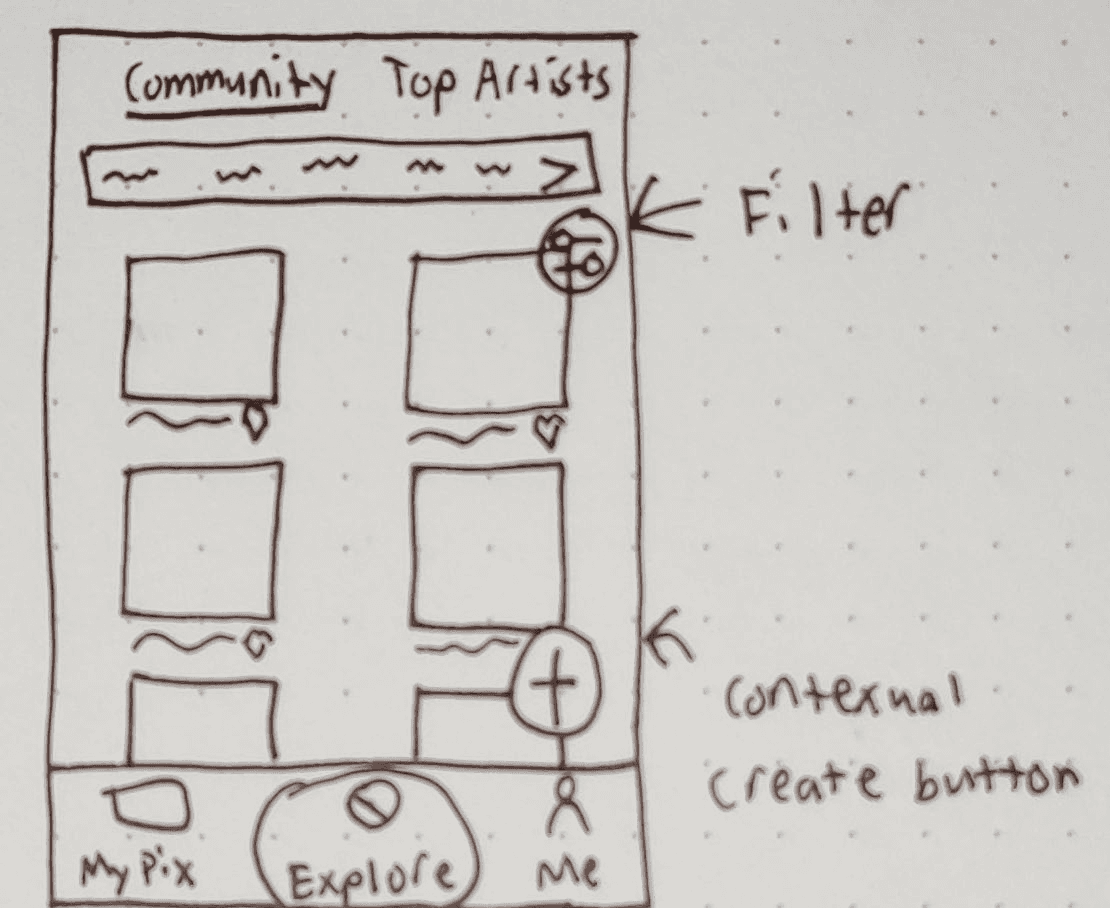
Arrow used to indicate to user they can scroll search categories
Hamburger icon changed to filter icon and moved down to more appropriately fit context
Create button moved on screen, allowing the Explore icon not to disappear
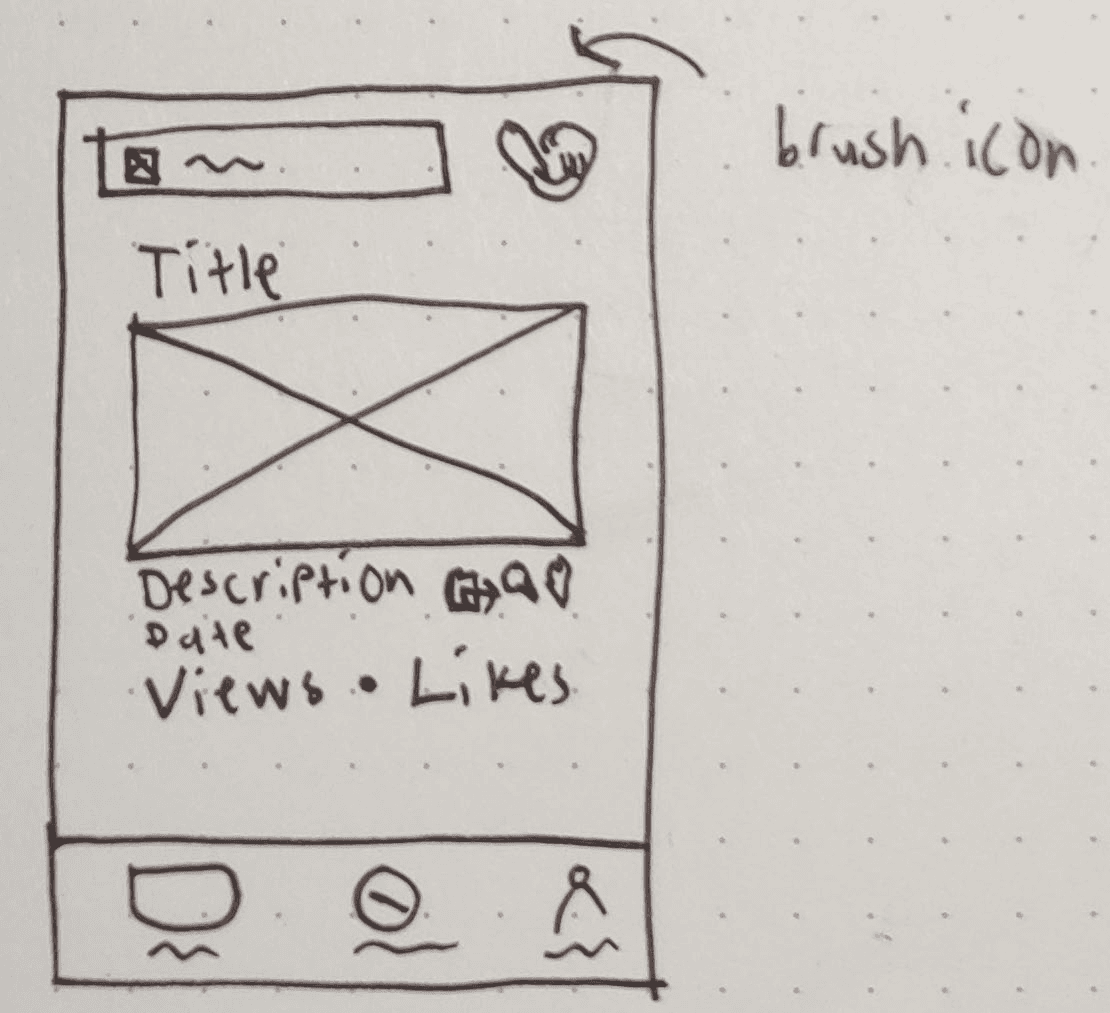
Changed hierarchy of information to make the art piece title stand out, as well as views and likes
Moved unclear icons to artist brush icon
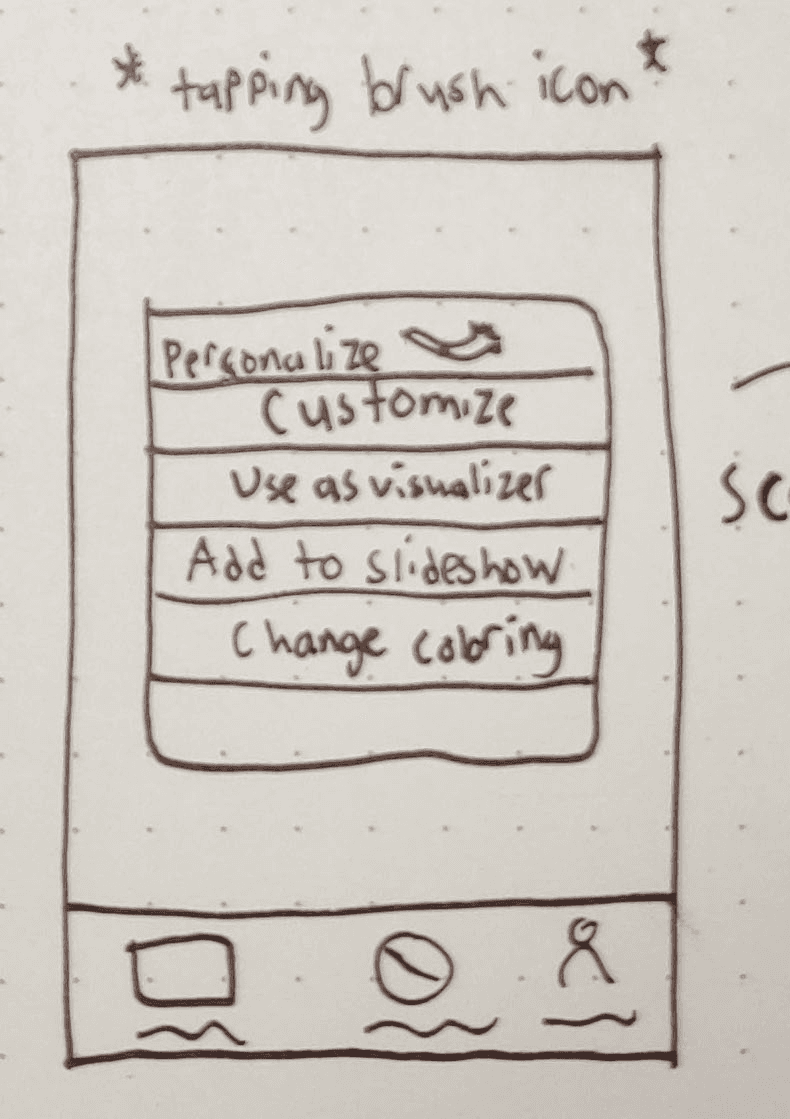
Tapping the brush icon takes the user to a menu. The original icons were too unclear just by looking, so I changed them to text (use as visualizer, etc).
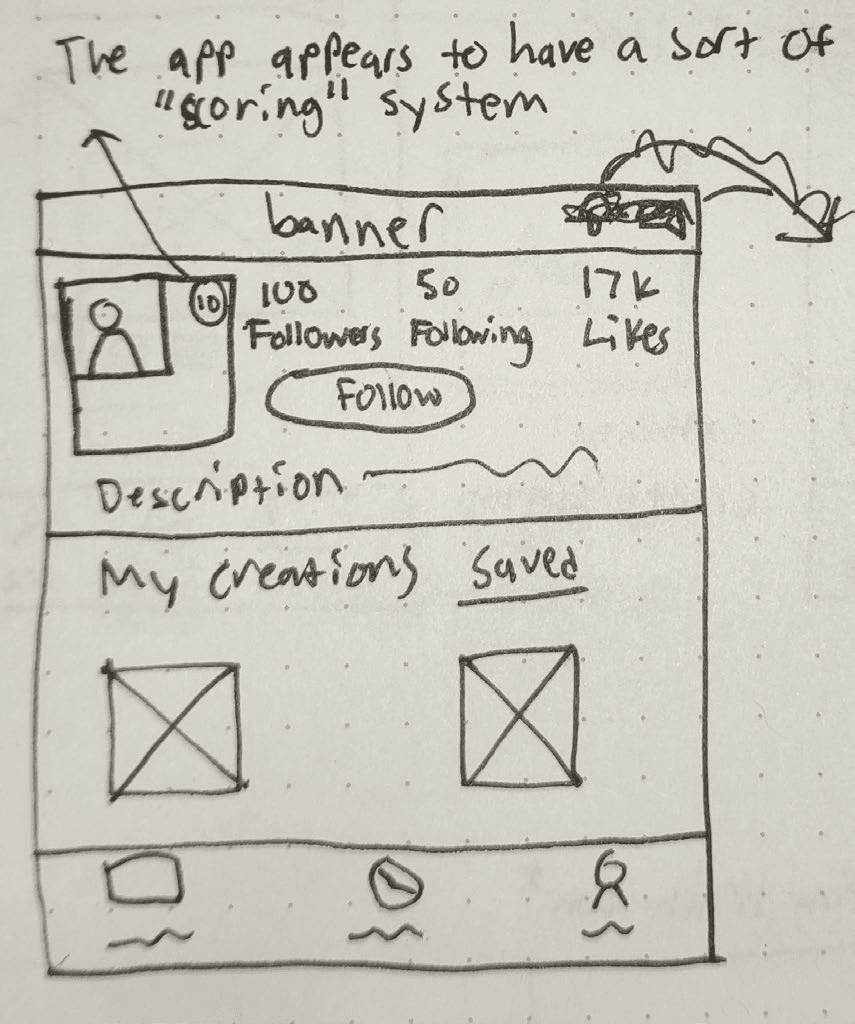
Followers and Following numbers were changed as there was no indicator to what the numbers were before.
Changed “Favorite” to “Saved”, indicating that I have creations from others that are saved or liked.
Pain Points and Solutions
Exploring new designs for your Pixoo
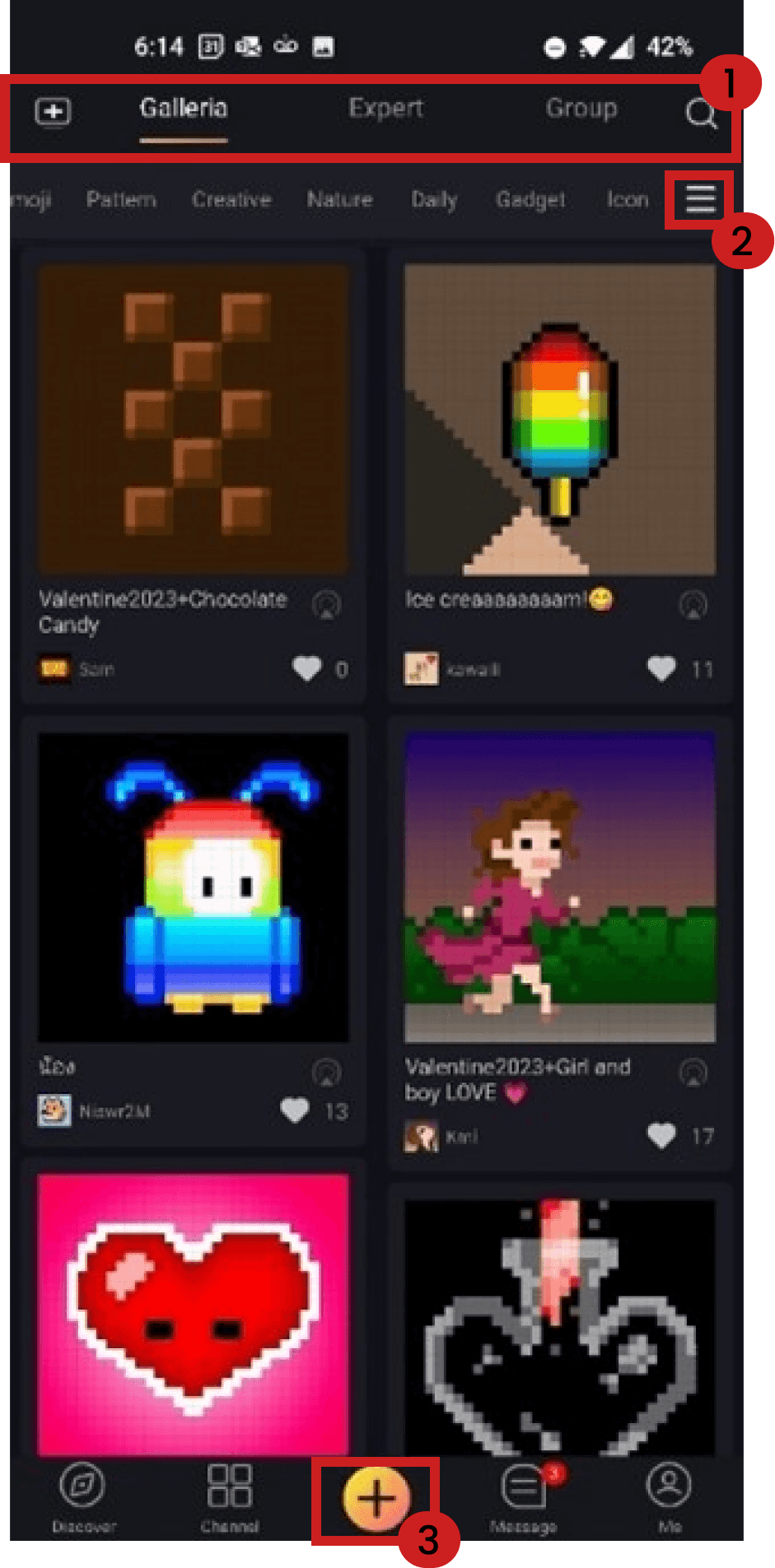
1. Unclear naming convention of tabs. "Expert" is most followed accounts, while "Group" is different categories, already available in the subnavigation 2. Hamburger icon is used as a filter, not a menu 3. "Explore" icon morphs to a plus icon for creating a new design. These should be separated
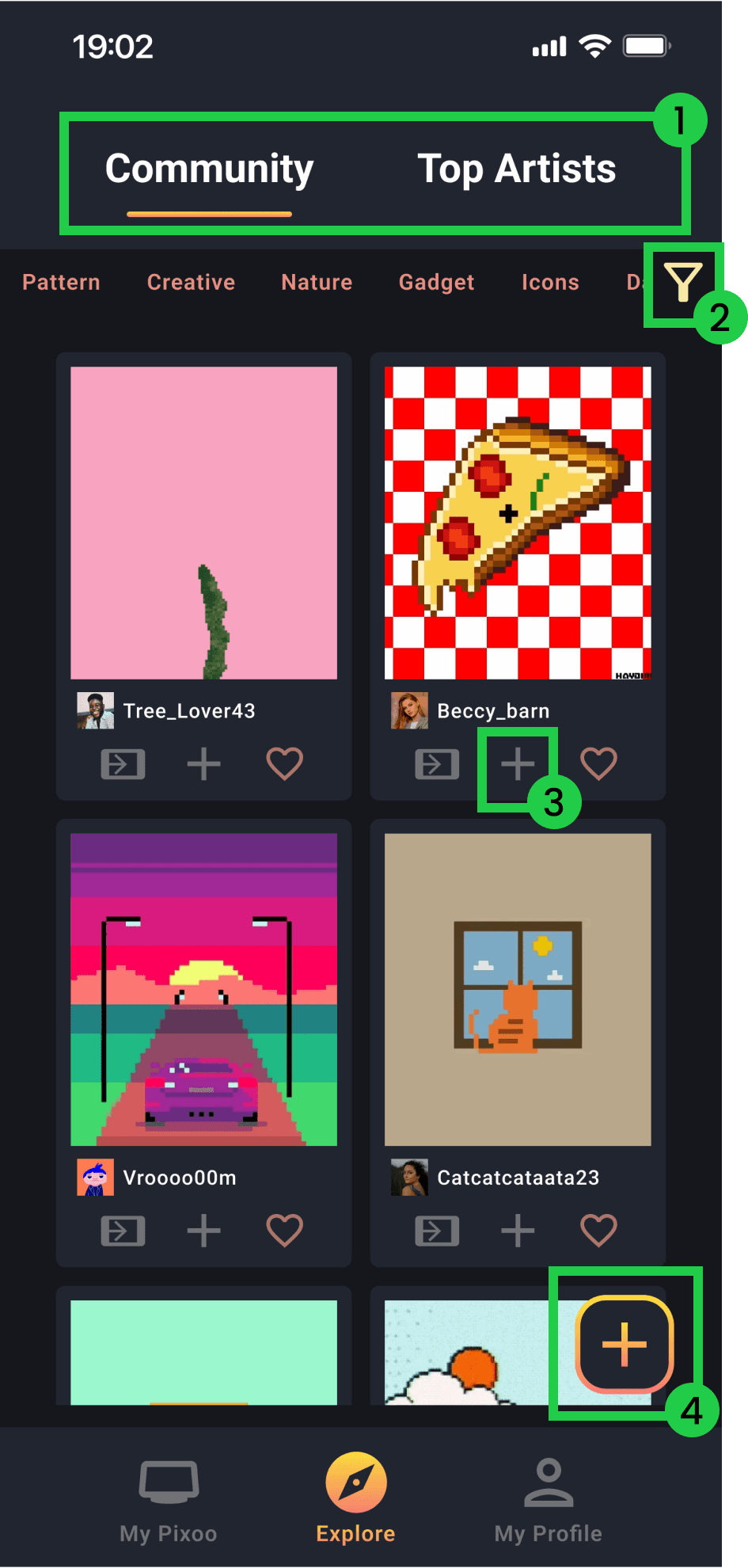
1. Simplified tabs 2. Changed to filter button to reflect 3. Added simple way to add to slideshow 4. Moved "Create Art" button so as not to overlap the button to find user-created designs
Customizing an existing design
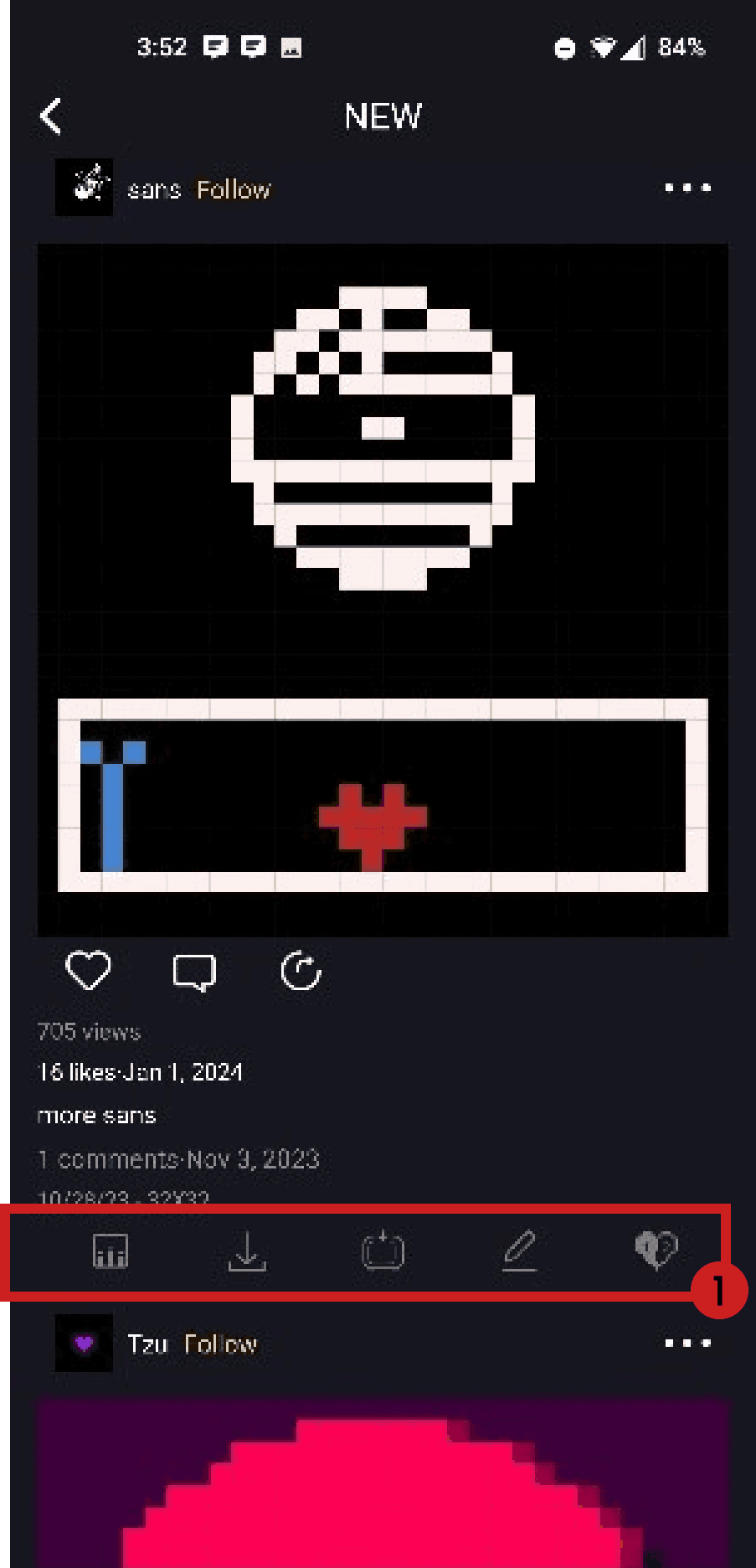
1. Some of these icons, such as the numbered heart, aren't immediately known by users, cluttering space
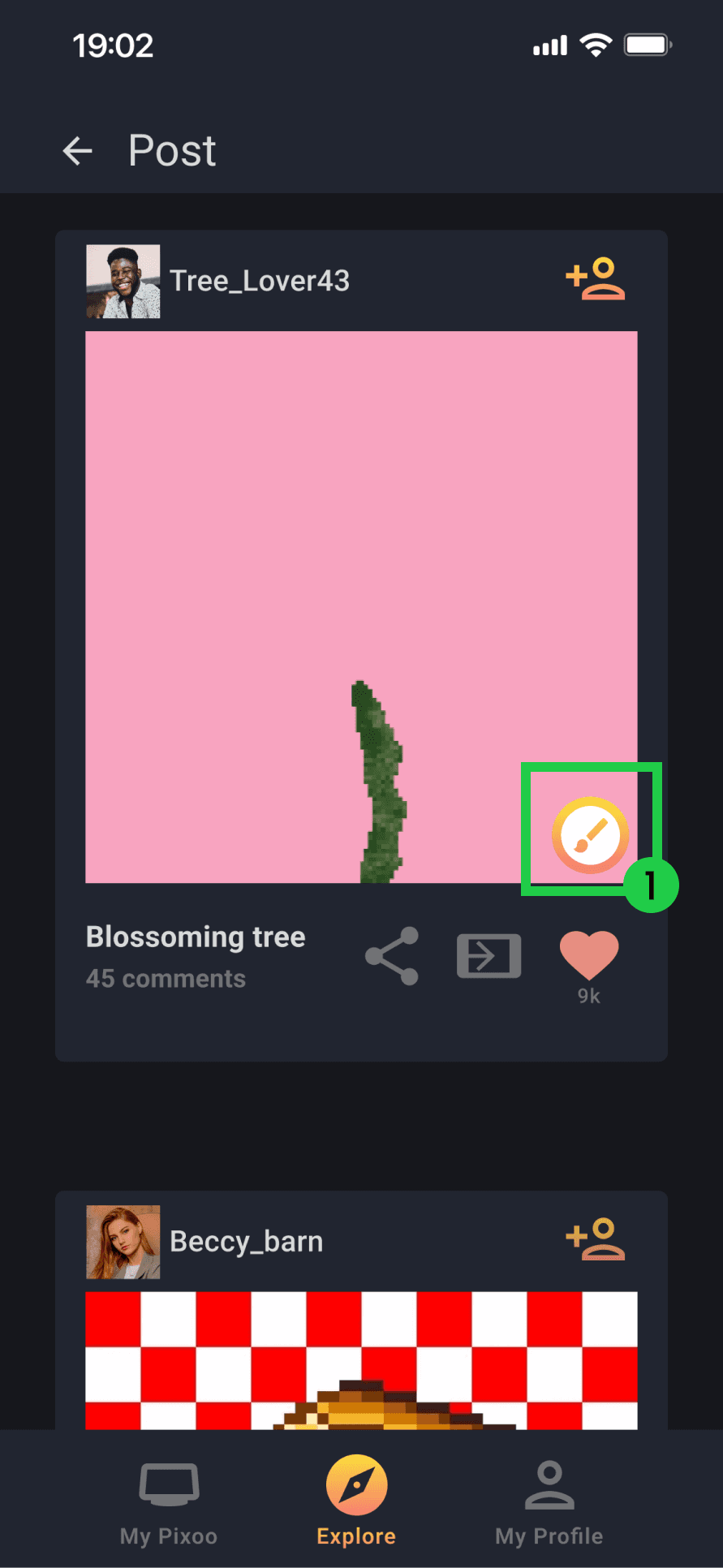
1. Consolidated unclear functions (judging by their icons) into a "Customize design" button
Viewing your profile page and liked designs
1. Unclear icons and unorthodox digits 2. Incorrect tense for "Favorite" and "Upload"
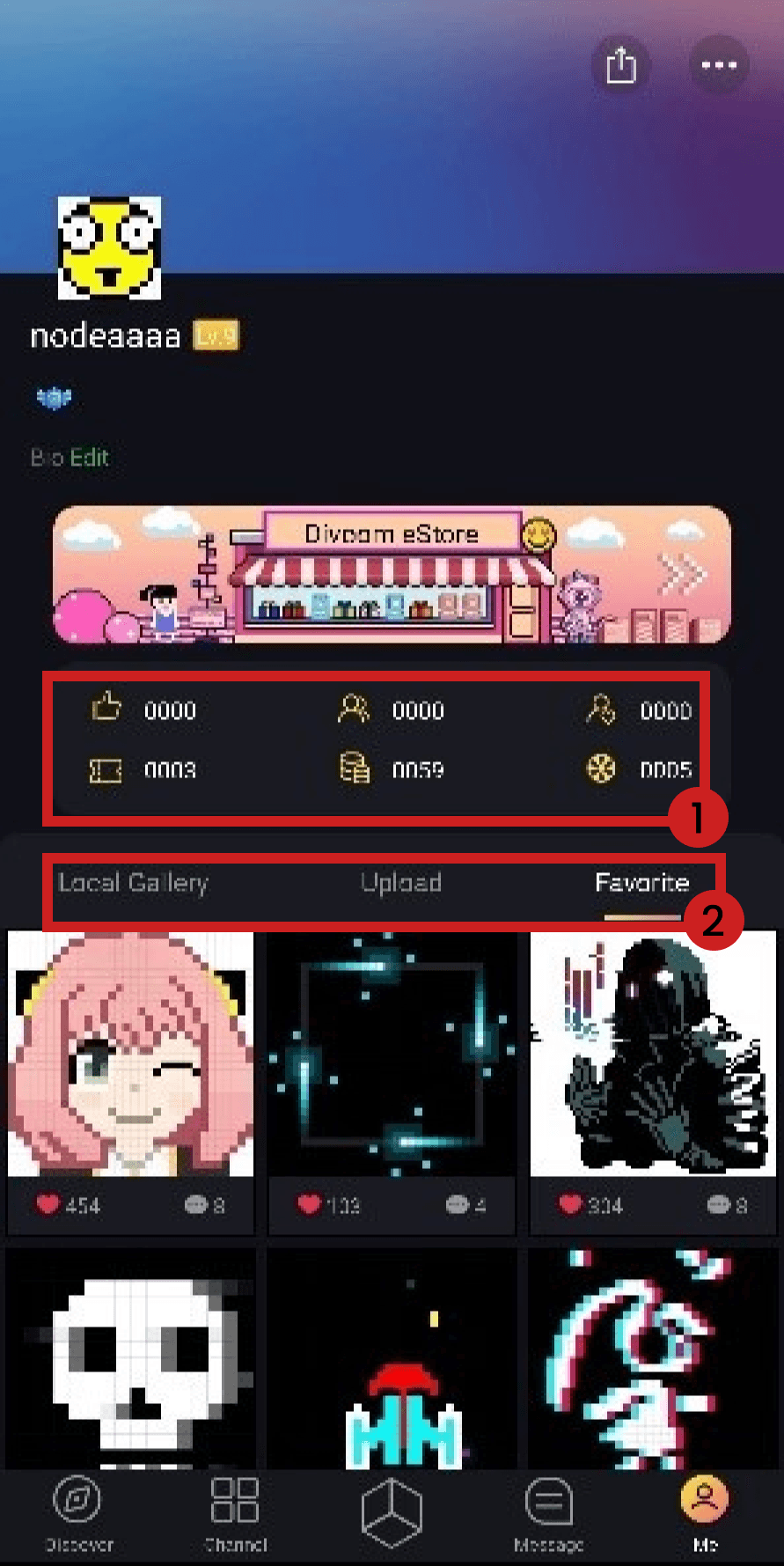
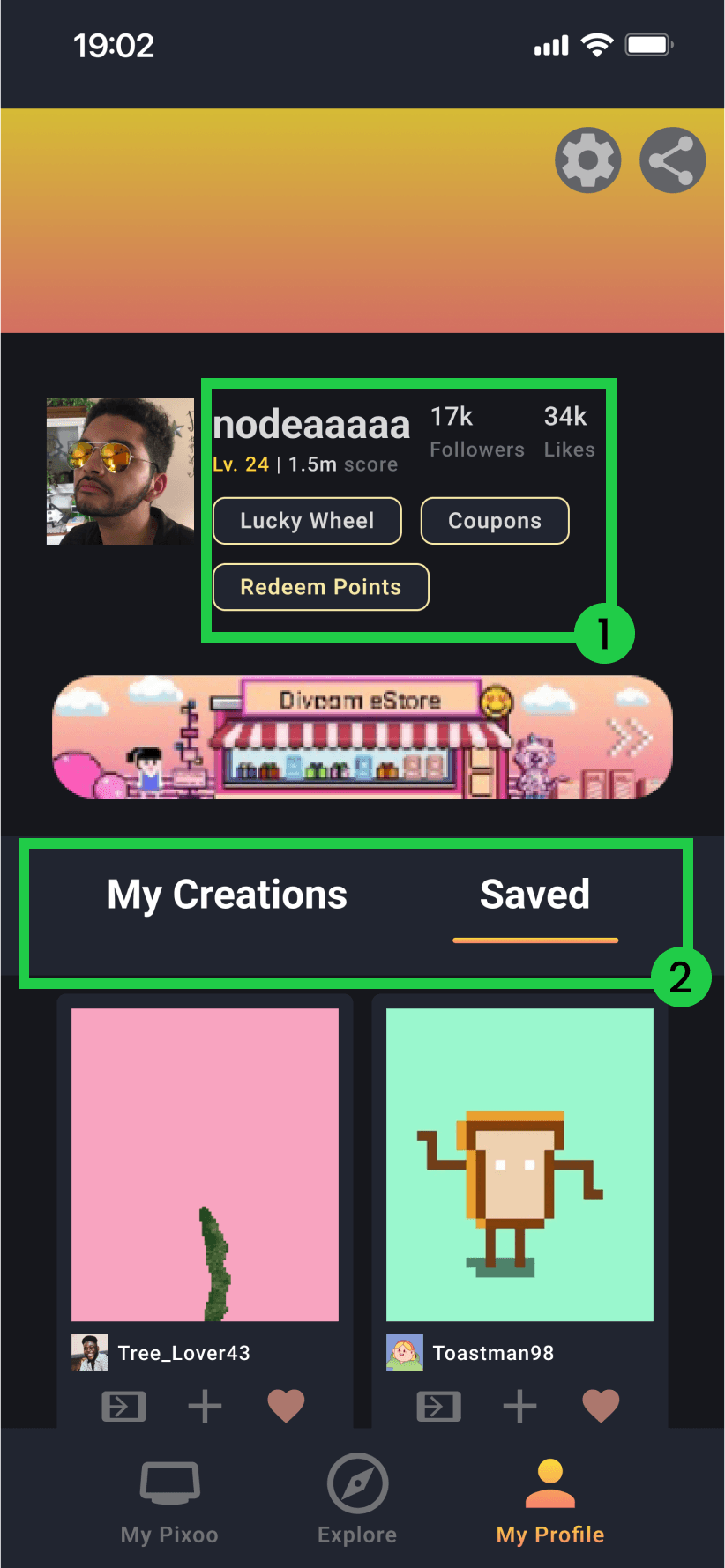
1. Simplified information for clarity 2. Reworded tabs
Viewing your Pixoo device and its features
1. Too many tabs taking up screen real estate 2. Navigation items don't line up with user expectations. "Discover" here means "discover device features"
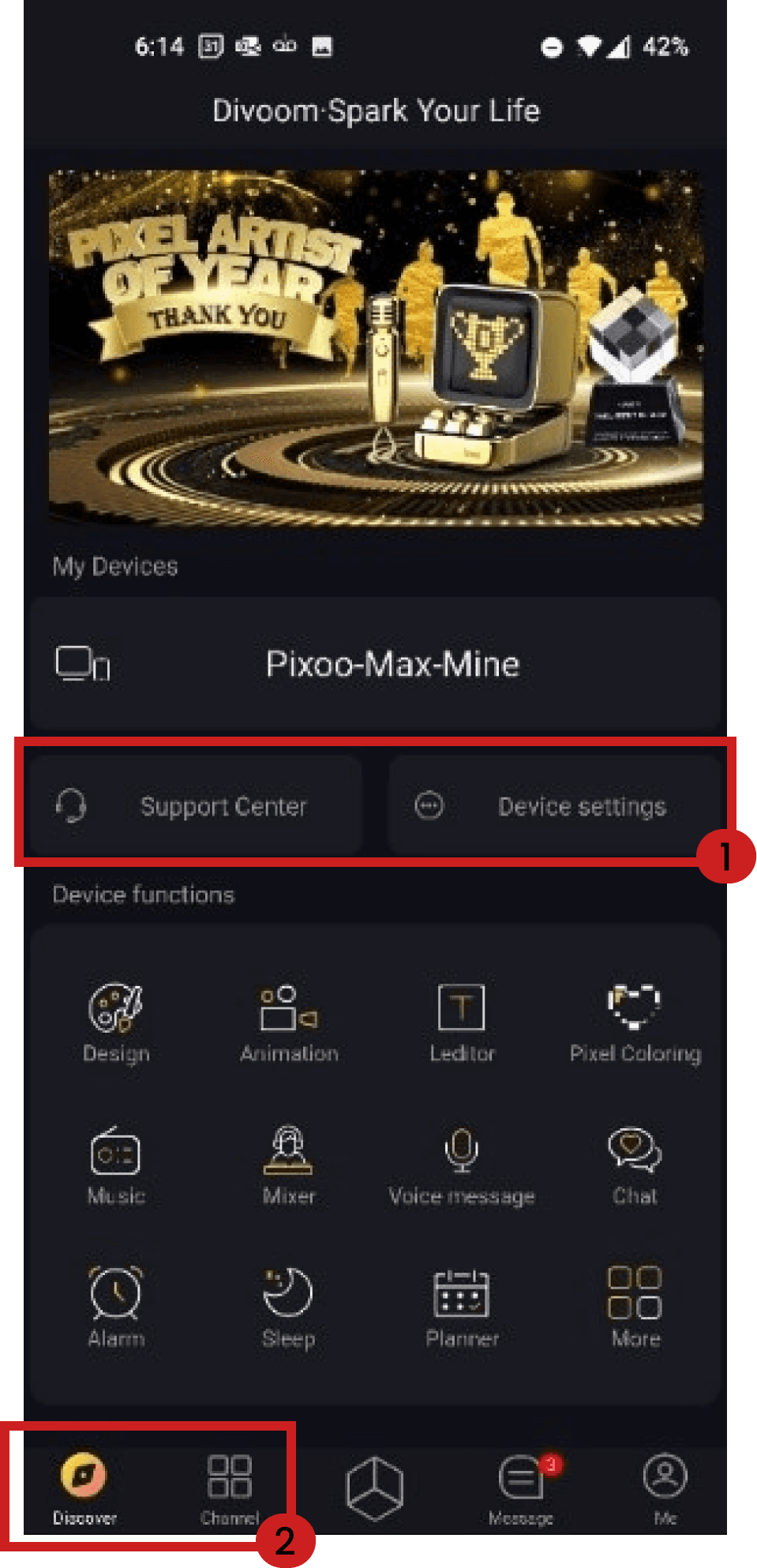
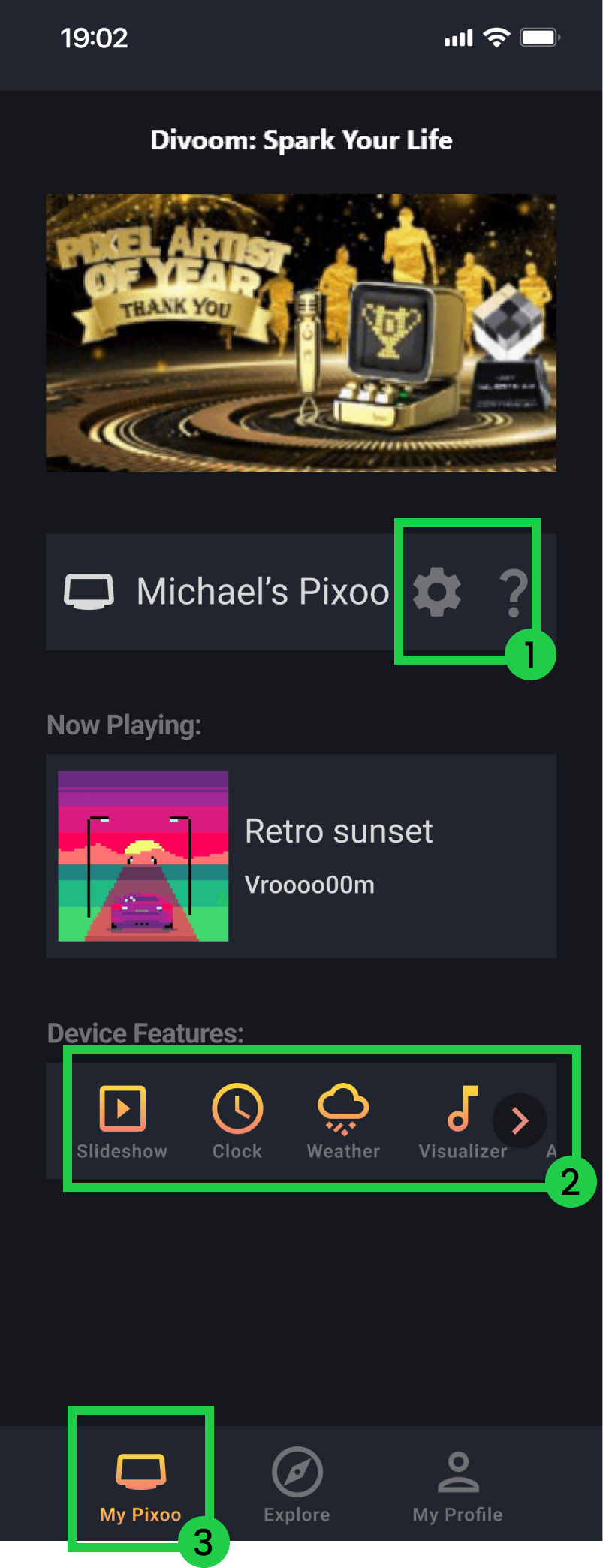
1. Consolidated "Help" and "Device Settings" 2. Moved Slideshow, Clock, and Weather from "Channel" into "My Pixoo" 3. Combined "Discover" and "Channel" into "My Pixoo"
Creating/customing a slideshow
1. Slideshow feature is buried within confusing menus and labels
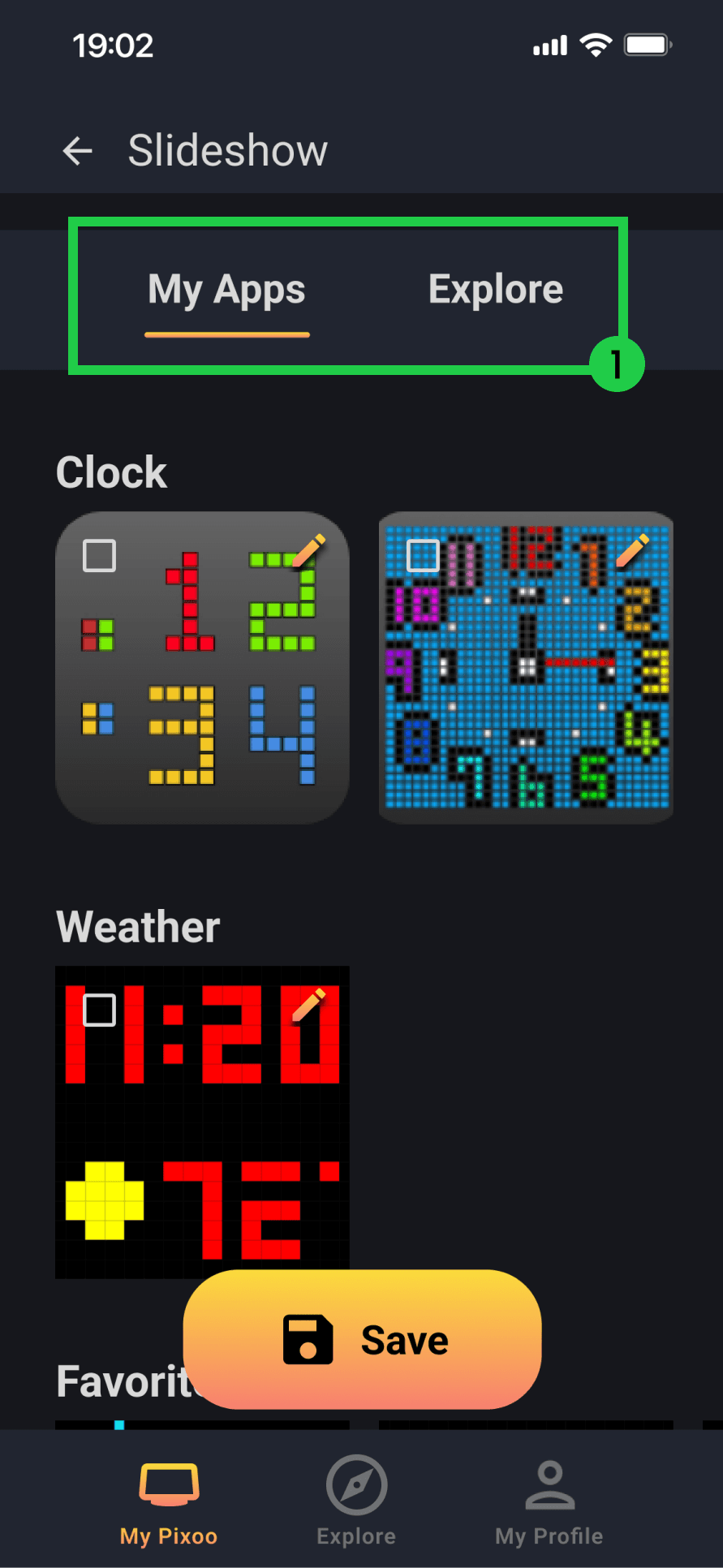
1. Allows for choosing Apps or other existing designs to add to a slideshow
Error recovery
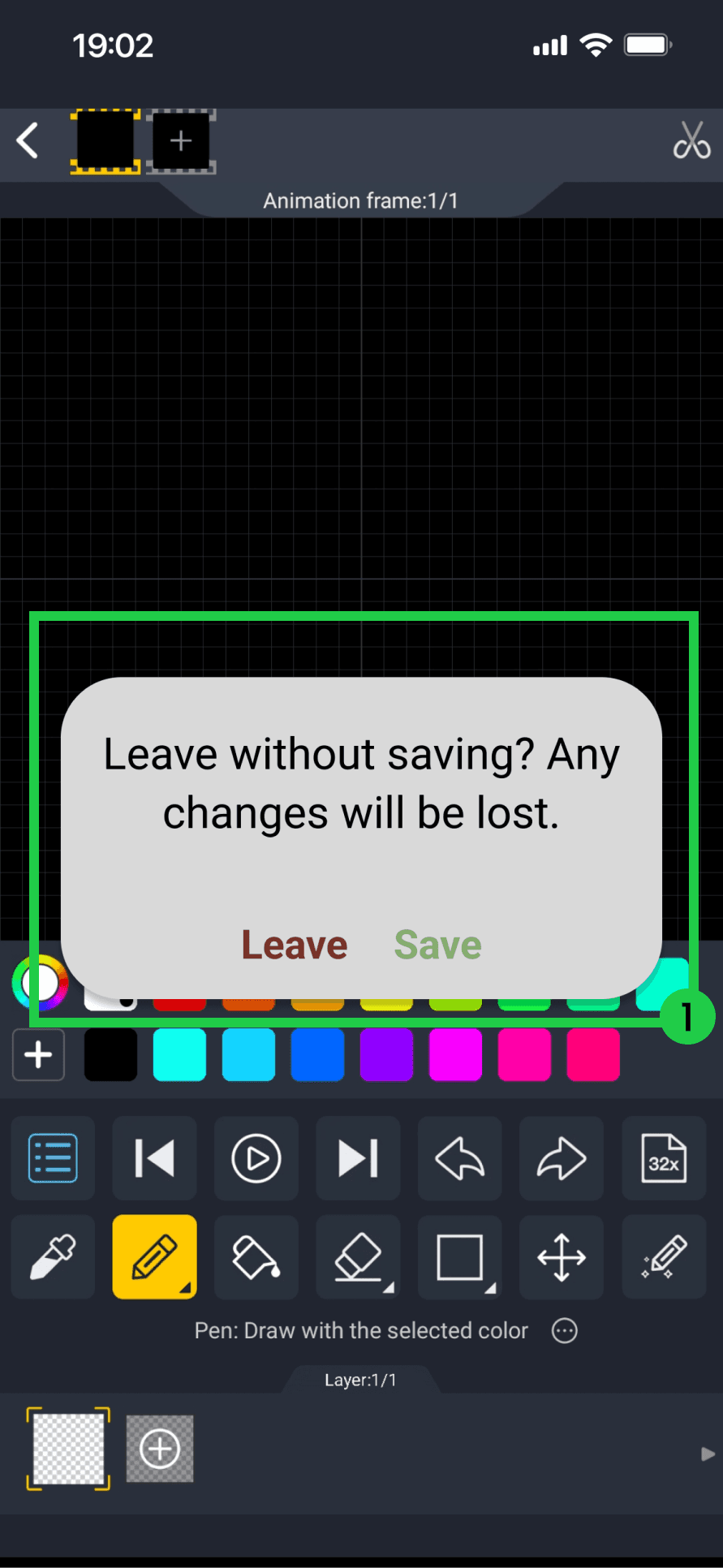
1. Confirm exit before saving
Testing
Impacts
Upon testing the current app vs. my design with 5 users, I found:
1
20% decrease in error rate during tasks
2
30% increase in System Usability Score (SUS)
3
10% less time taken on tasks
Reflection
This type of app is more difficult to prototype due to its need of an external device. Next time I should assemble paper prototypes to act as screen for something such as the Pixoo device.
I couldn't recreate every single aspect of this app within the timeframe, as I concentrated on its main problems, but a lot more screens with logic could be developed.
Keep It Simple Stupid (KISS) are words to live by. Giving users less options to pick from helped them navigate easier.