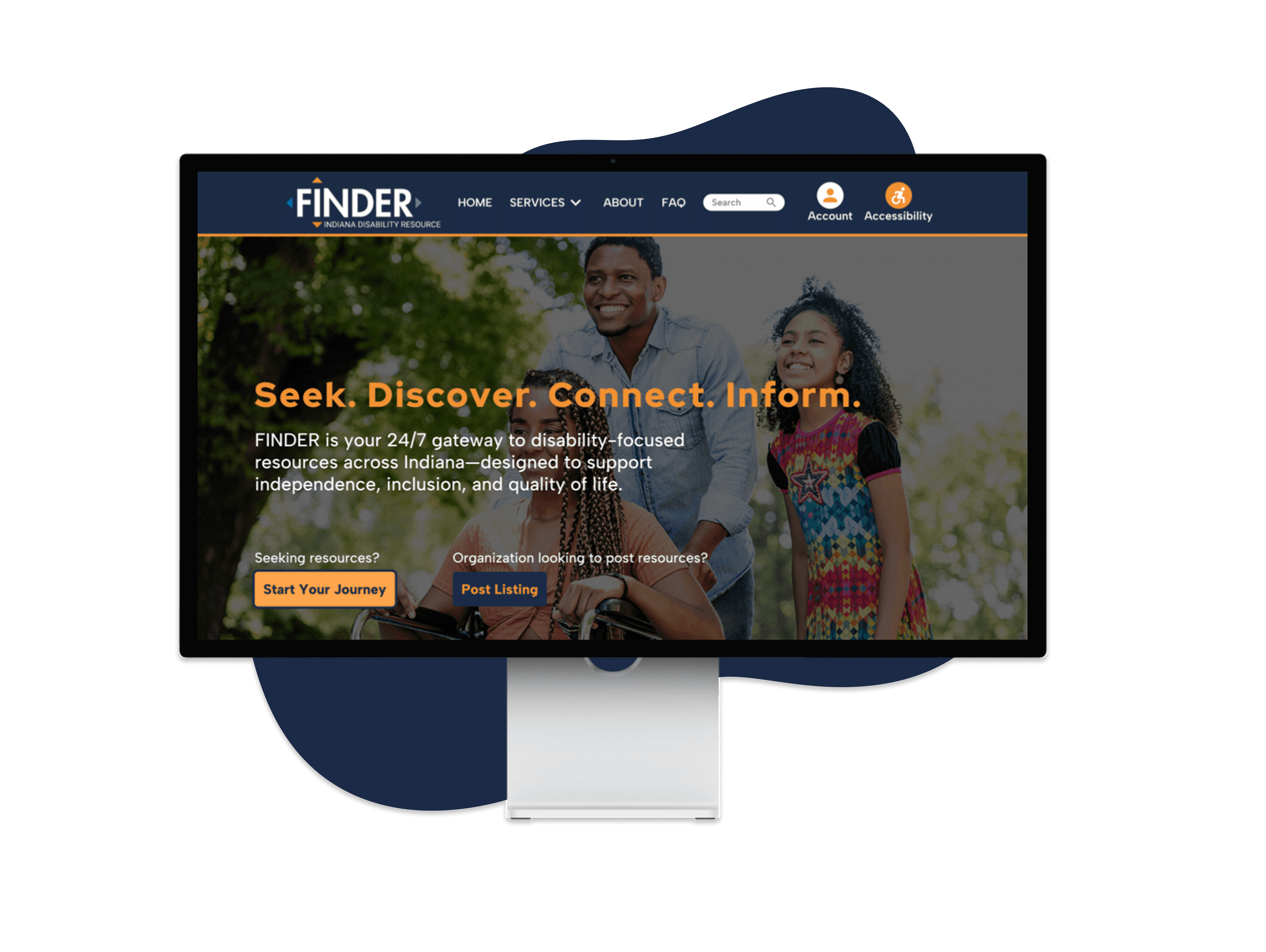
Indiana Disability Resource Finder
Usability test and redesign for the Indiana Disability Resource Finder website
TEAM
Sky Blanton, Michael Dukes, Chen Zhong
MY ROLE
I designed the testing script, conducted one user interview, and compiled data from all interviews
TOOLS
Figma, Miro, Whiteboard
TIMELINE
Apr. - May 2023
Overview
The Indiana Disability Resource Finder is an online platform that provides information and resources for individuals with disabilities, their families, and caregivers in the state of Indiana. The resource finder is designed to help individuals locate and access services, programs, and resources that can assist them in managing their disability and achieving their goals.
Our Process
1
Purpose
Methodology
2
Tasks
Results
3
Design
7 Pain Points
7 Solutions
4
Conclusion
Next Steps
Lessons Learned
Define

Methodology
WHAT we tested
WHO we tested
3 participants:
• Male, 35, scientist, 5 (extremely comfortable) with websites, has never used testing website before
• Female, 26, software engineer, 5 (extremely comfortable) with websites and technology, has never participated in usability testing before
• Female, 21, Vet Assistance, 4 (very comfortable) with technology, has had a usability test before
WHERE we tested
Our usability testing was conducted via Zoom
WHEN we tested
User testing occurred from April 22 to April 23, 2023.
HOW we tested
Each test was conducted one-on-one, and generally lasted one hour.
Test
How we designed the test and its results
Tasks
The main questions asked were split up into three scenarios, each having between 3 to 5 tasks. Each scenario’s tasks were based around typical actions that these user groups would perform.
A full list of the tasks can be found in the report.
These tasks included testing the website’s search features, events page, and listings. After each task, participants were asked their overall thoughts after completing the task. They were also asked to give them an ease of use rating, 1 (very hard) to 5 (very easy).
After all tasks were completed, participants were asked to give their thoughts about the website overall, rating the website on a scale from 1 (extremely negative) to 10 (extremely positive). They were also asked to rate the ease of use for the website as a whole, ranging from 1 (very hard) to 5 (very easy).
Personas for the tasks
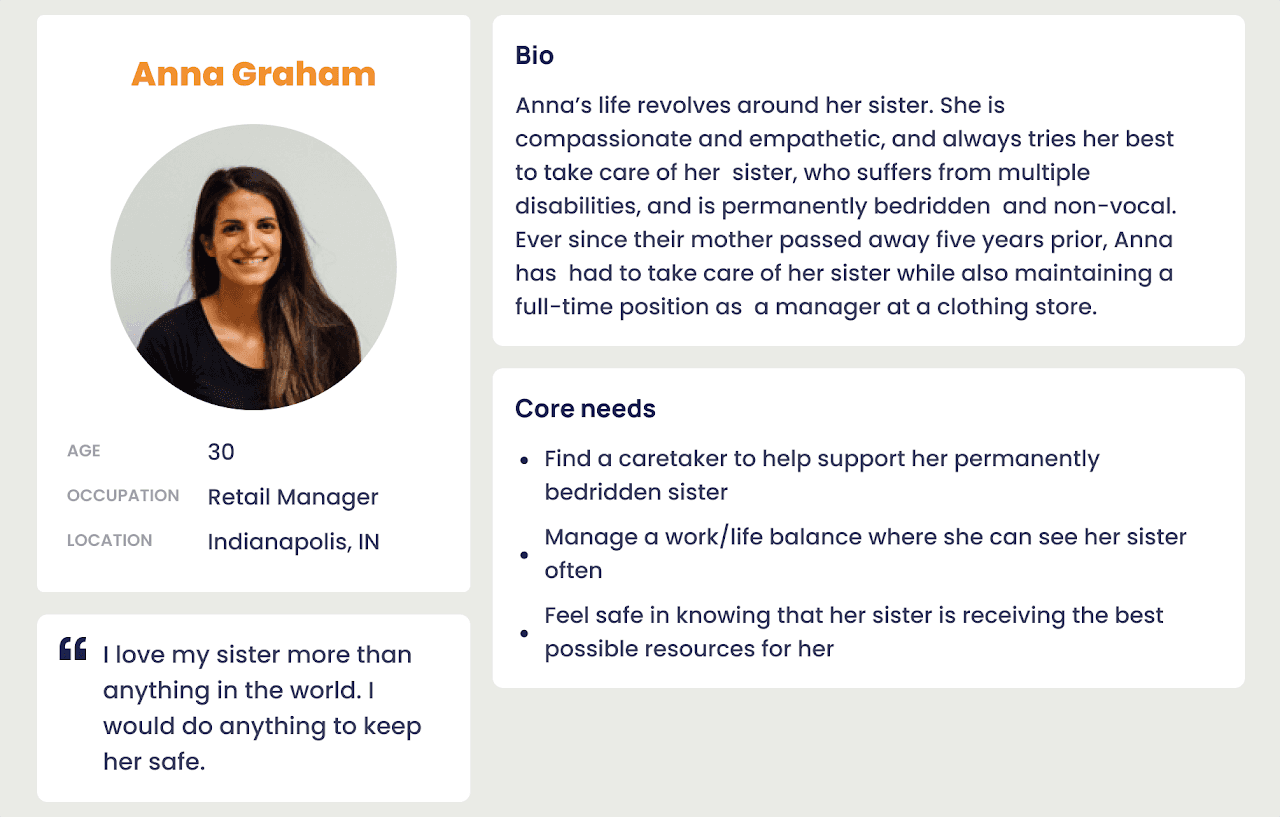
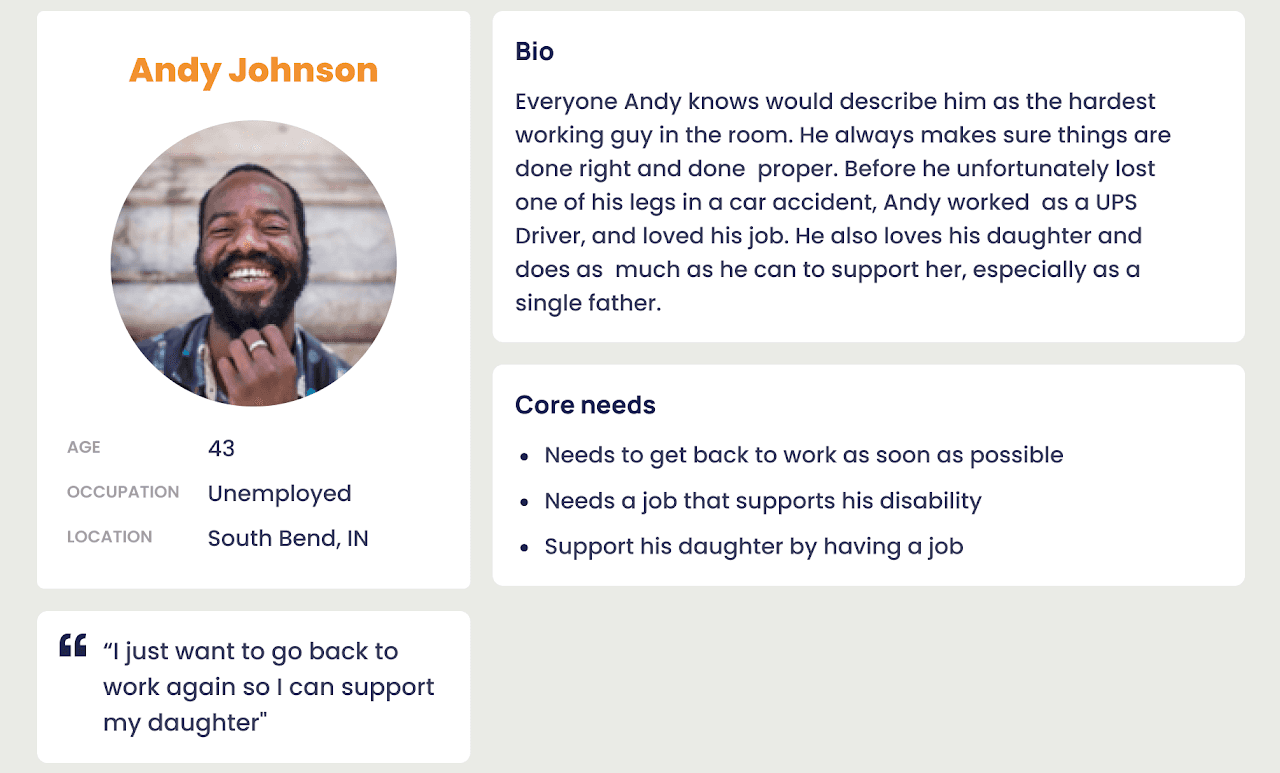
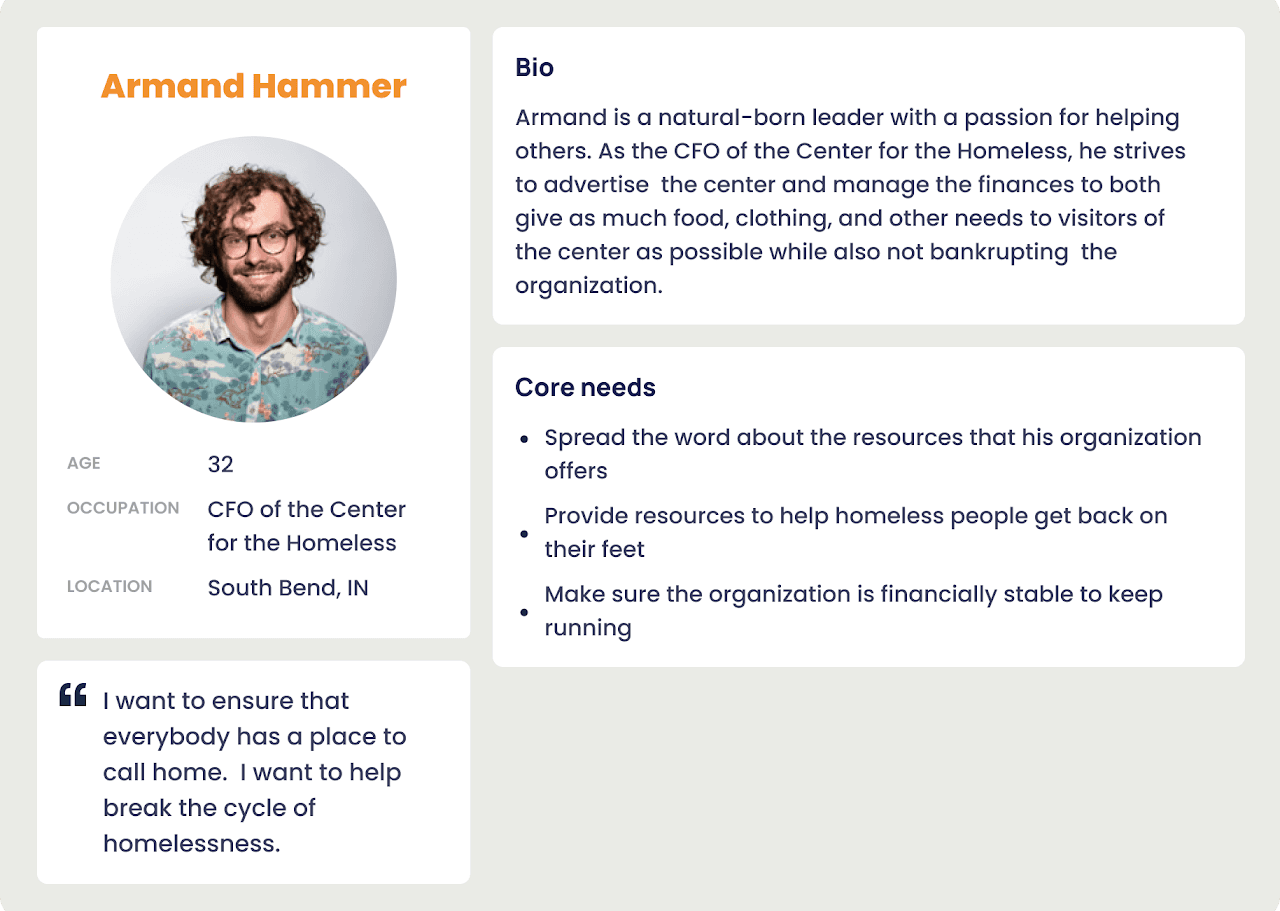
The tasks were based around these three personas, identified through research into the user base of the website
Scenario 1 - Caregivers of Individuals with Disabilities
Scenario 2 - Individuals with Disabilities
Scenario 3 - Disability Advocates and Organizations
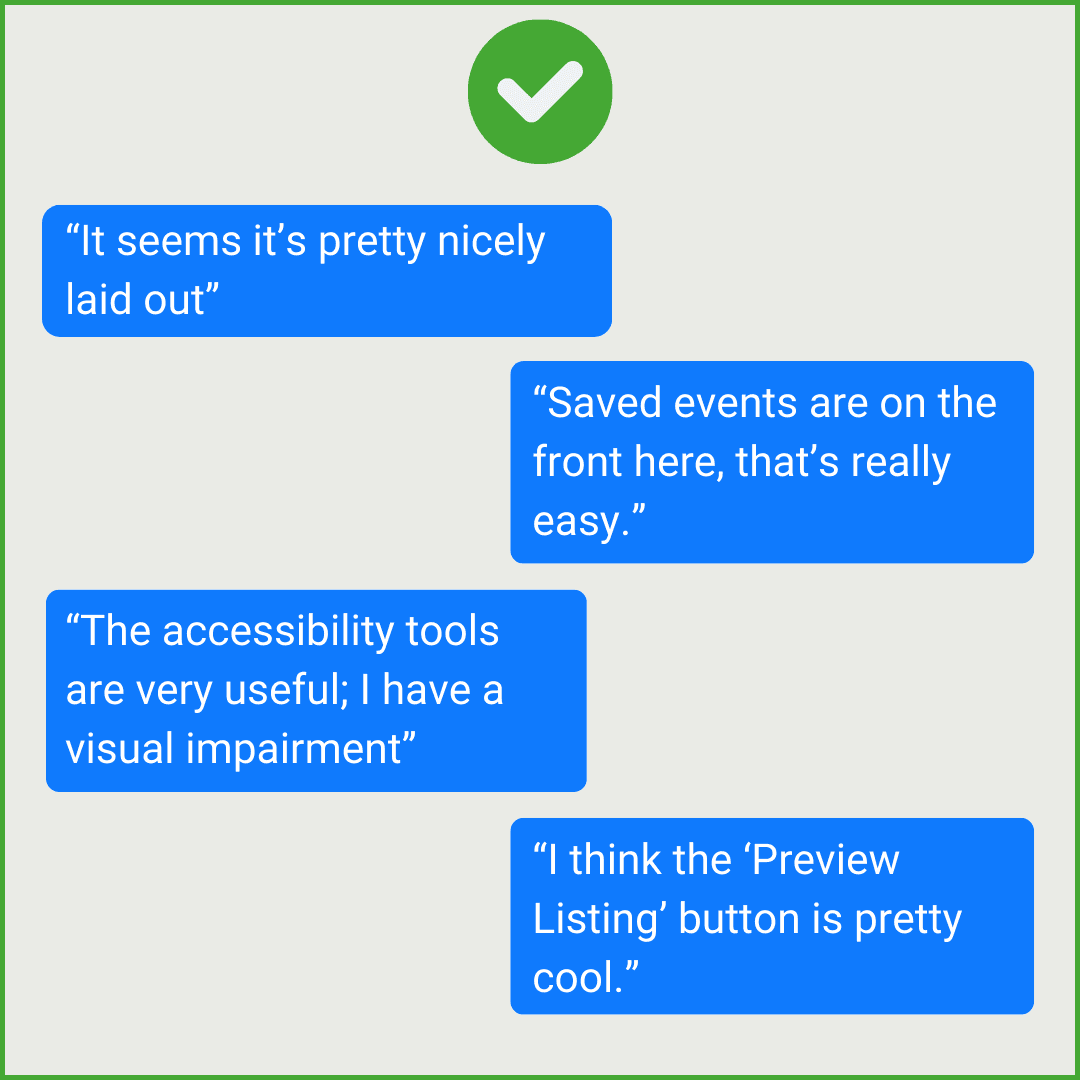
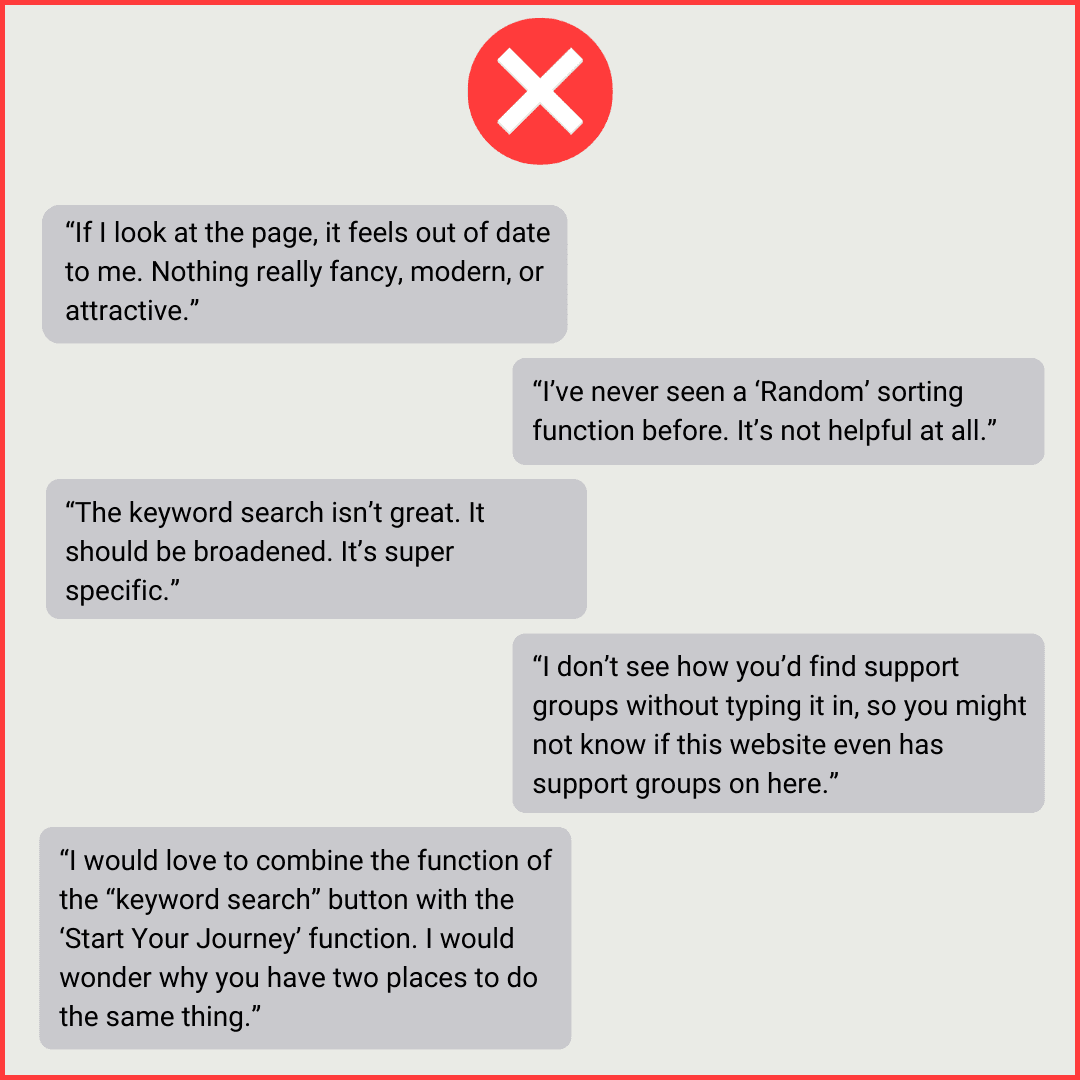
General Feedback
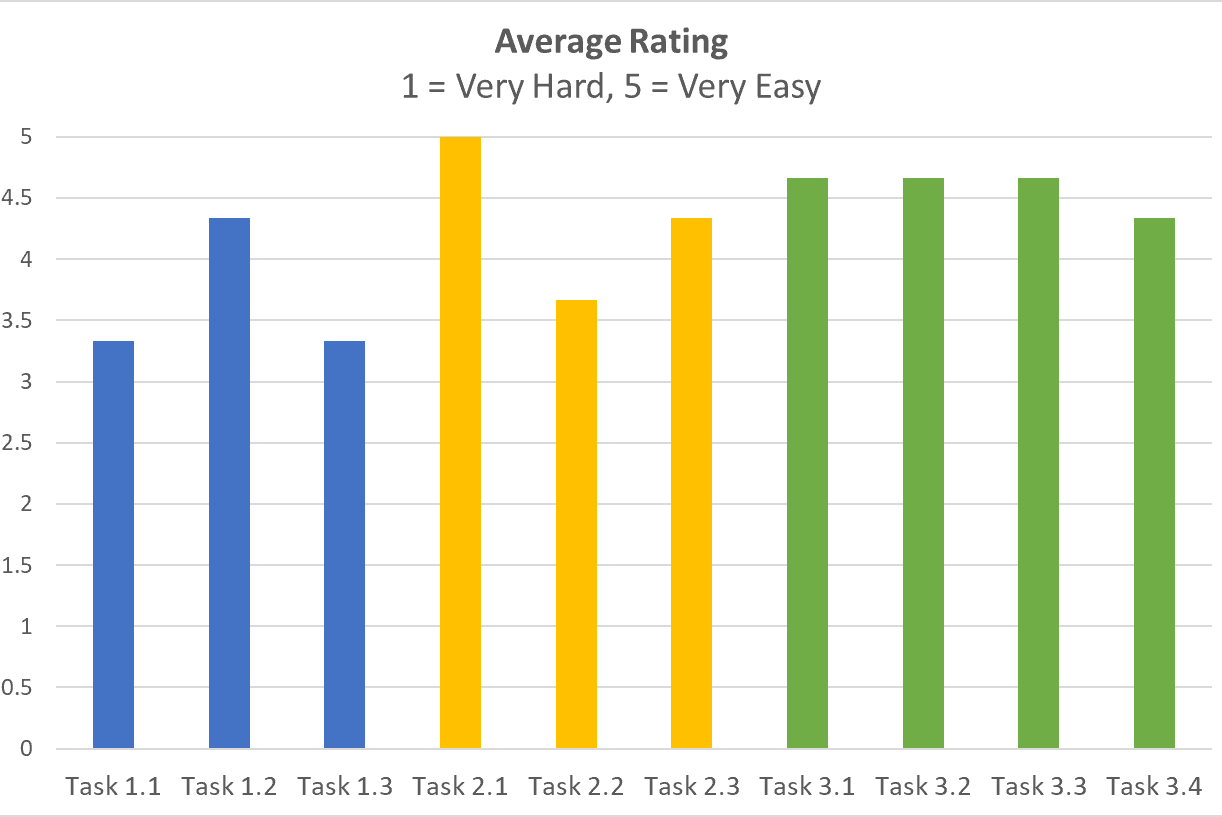
Average ease of use rating per task
Pain Points & Solutions
Pain Point 1: Filter function in the search page
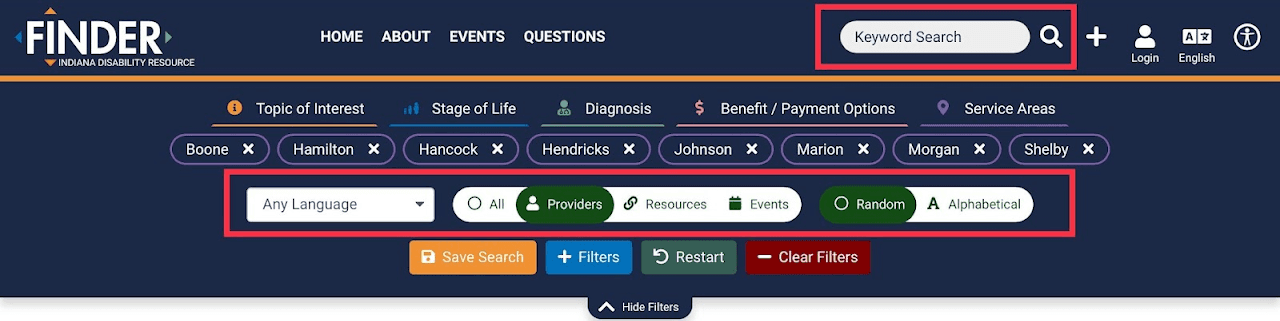
Filter function in the searching page.
Recommendations


Recommended redesign
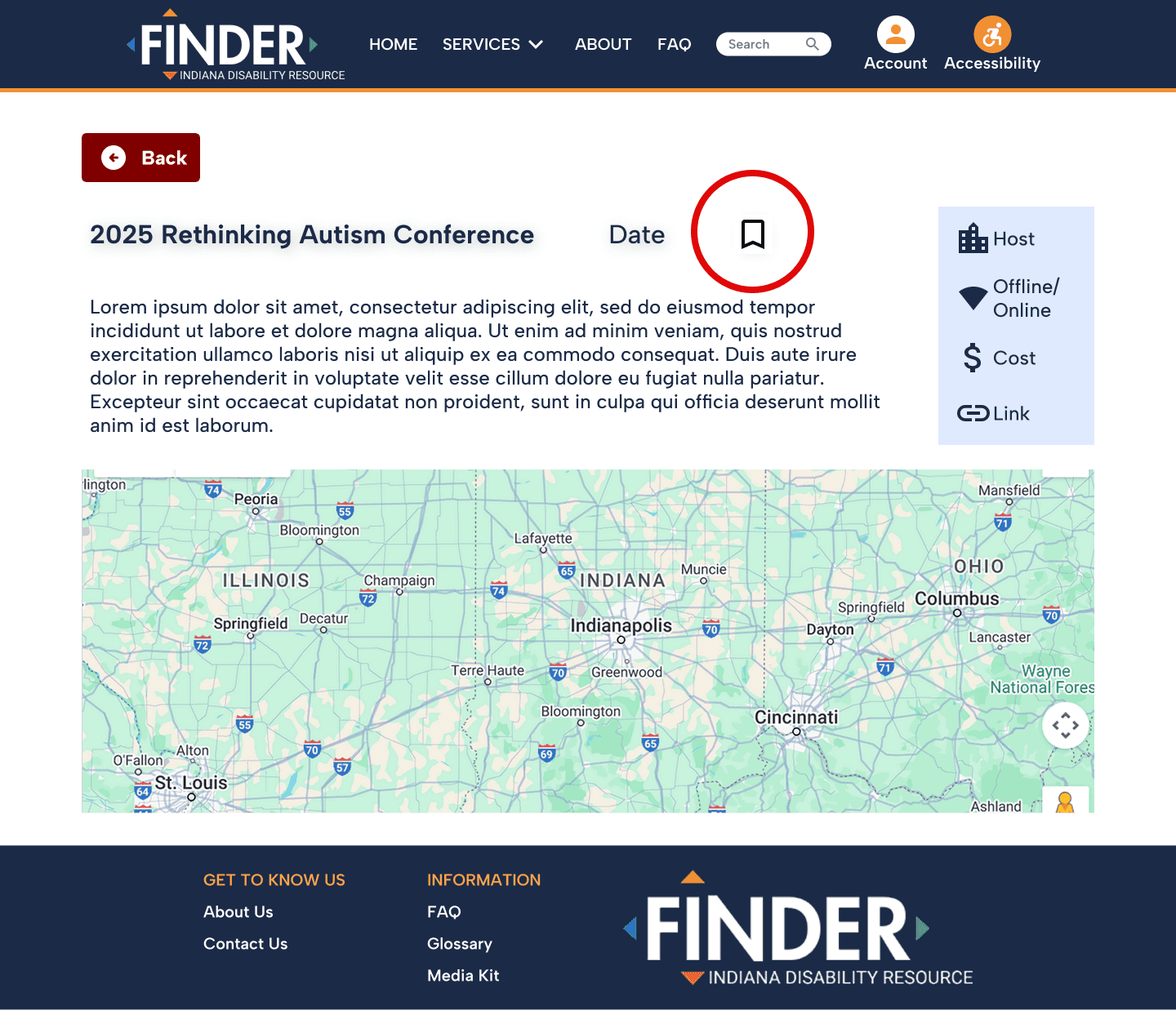
Pain Point 2: Finding and adding saved events
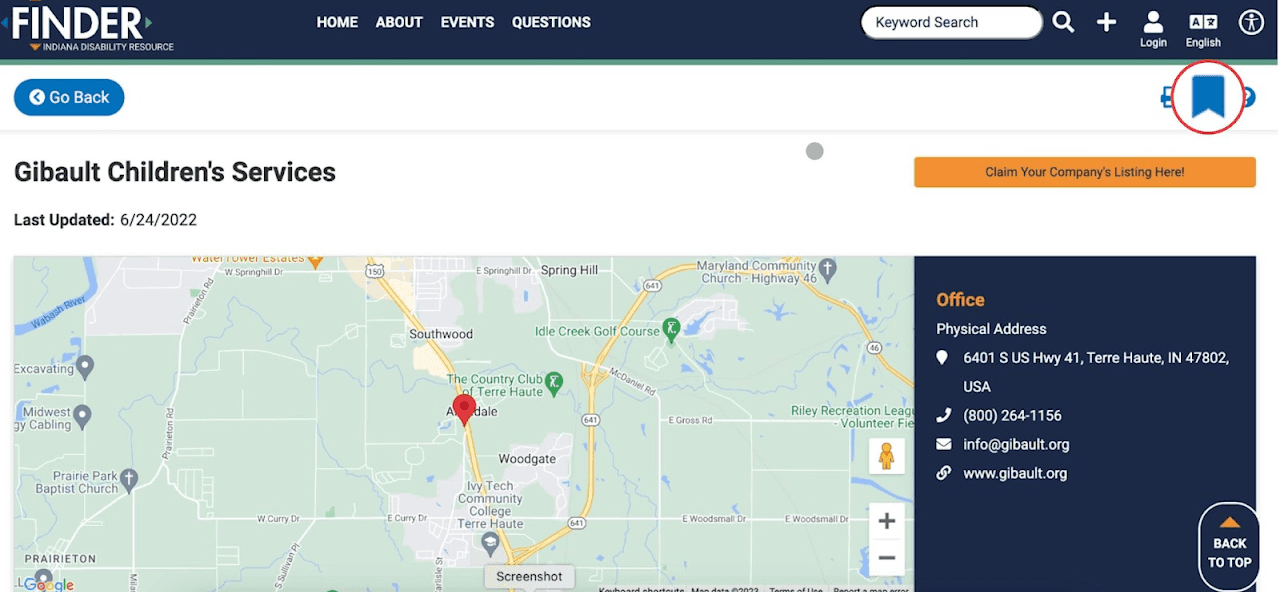
Bookmark button was difficult to find
Recommendations
Recommended redesign
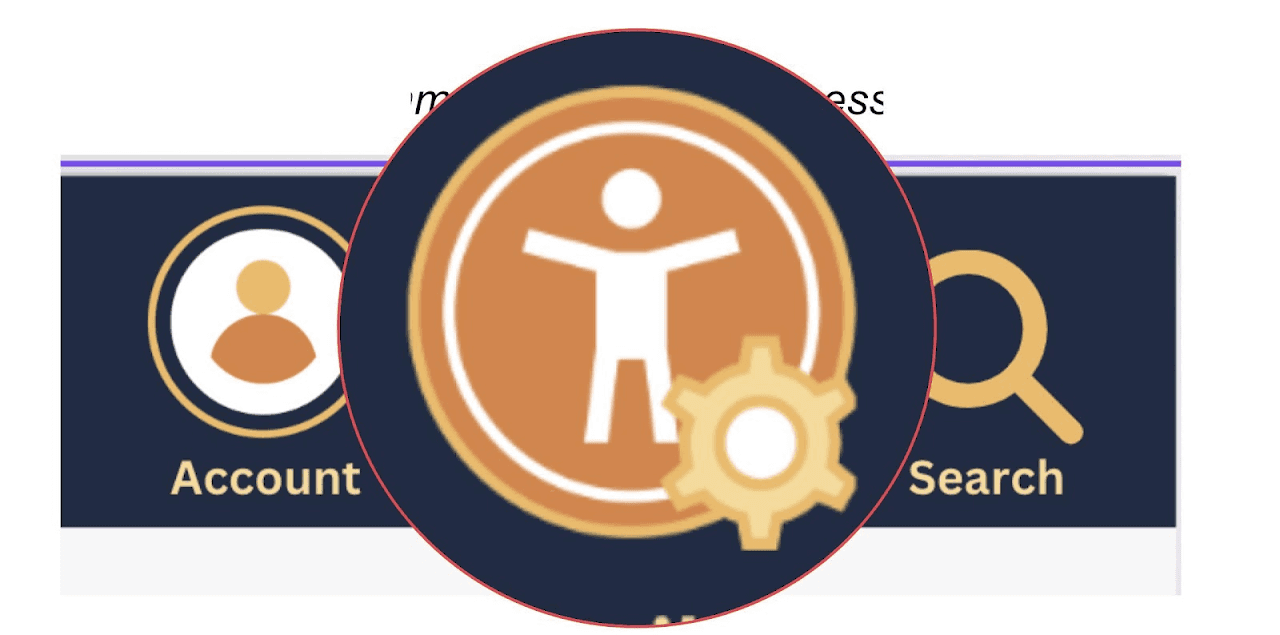
Pain Point 3: Identifying and using the accessibility tool
1
Users have reported difficulty finding the button to save events to their calendar or bookmarks.
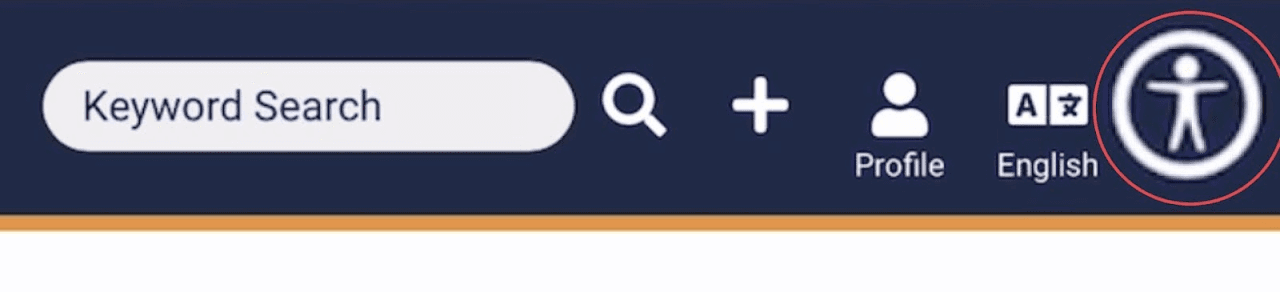
Accessibility icon
Recommendations
Recommended redesign
Pain Point 4: Finding info about support groups
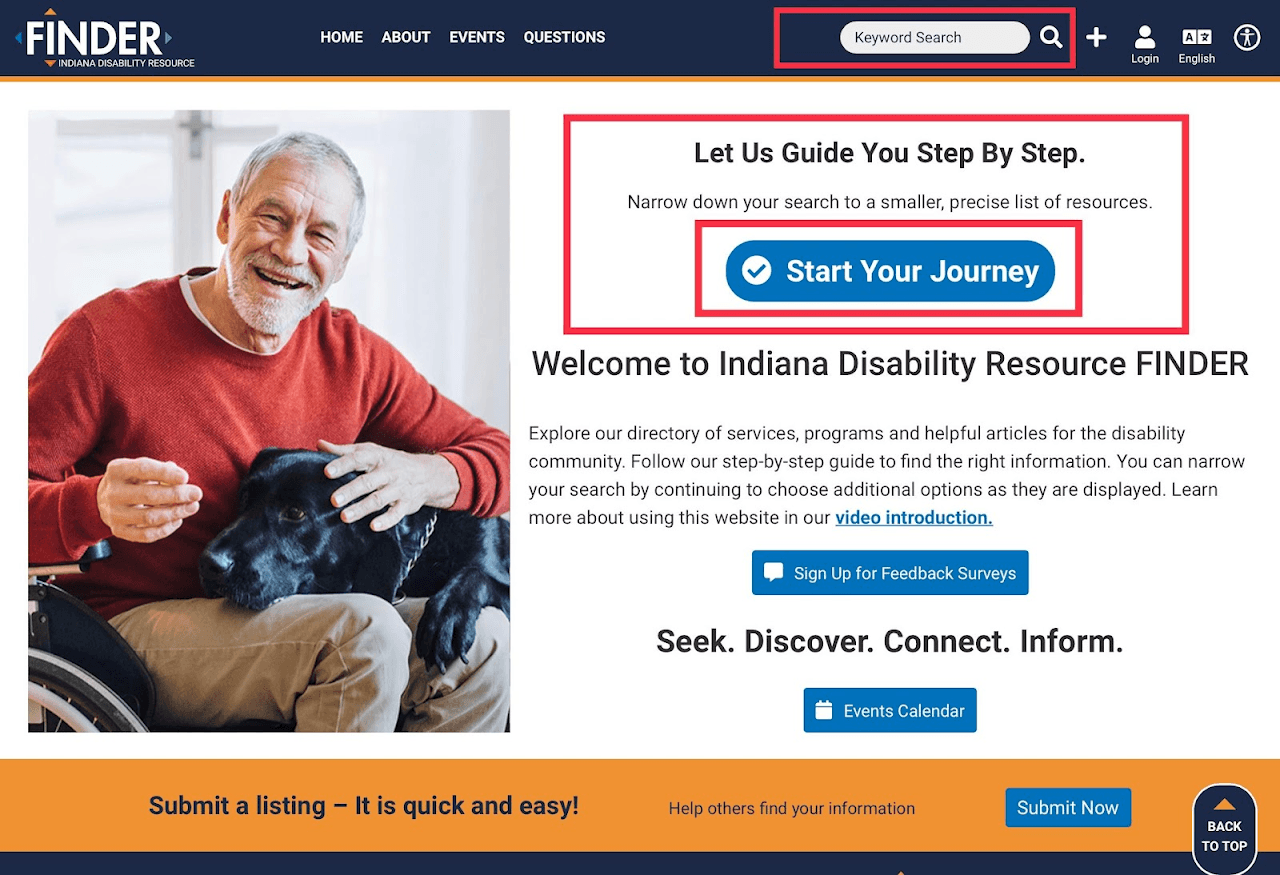
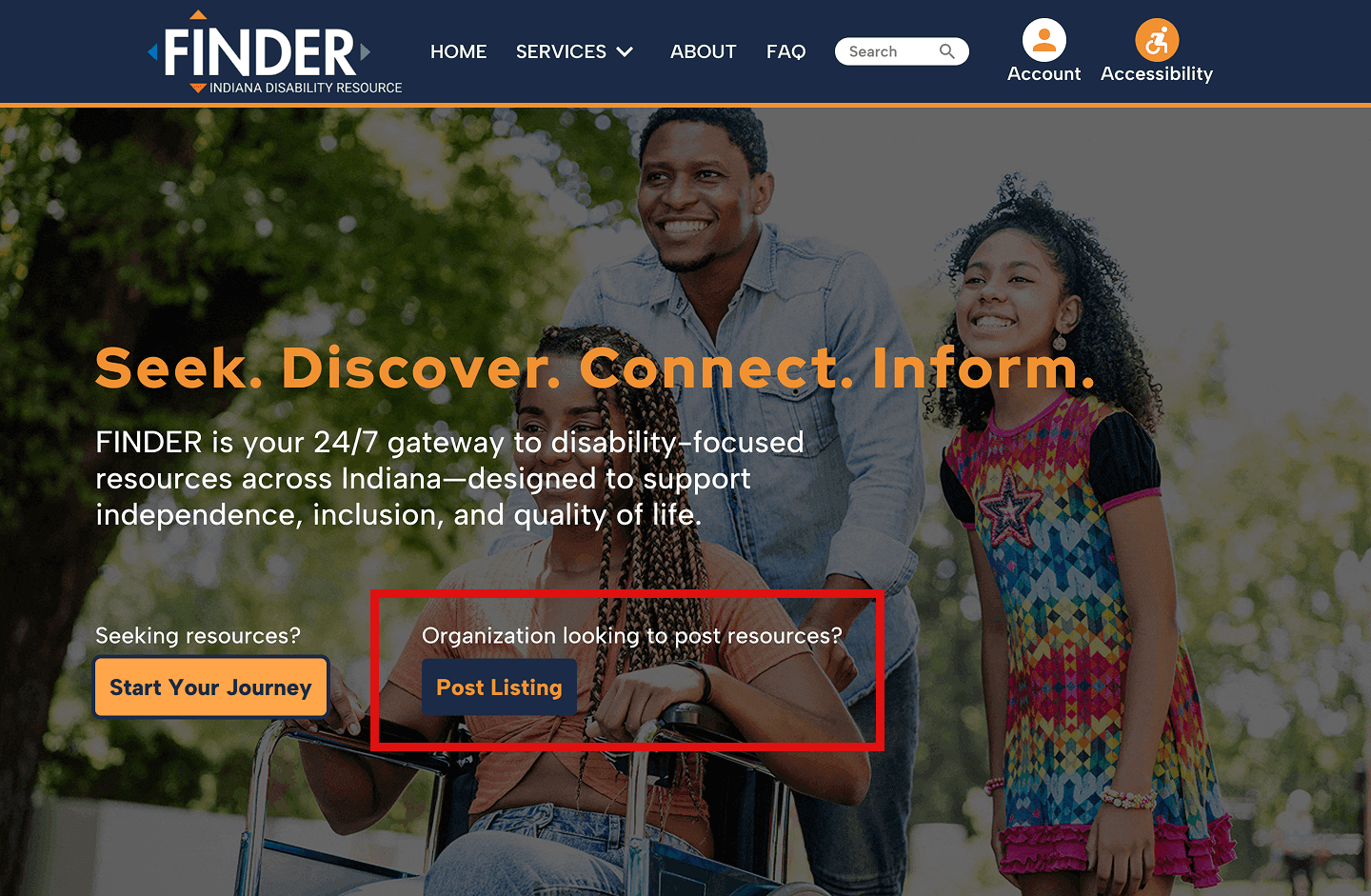
Homepage layout and priority call-to-actions/Functions.
Recommendations

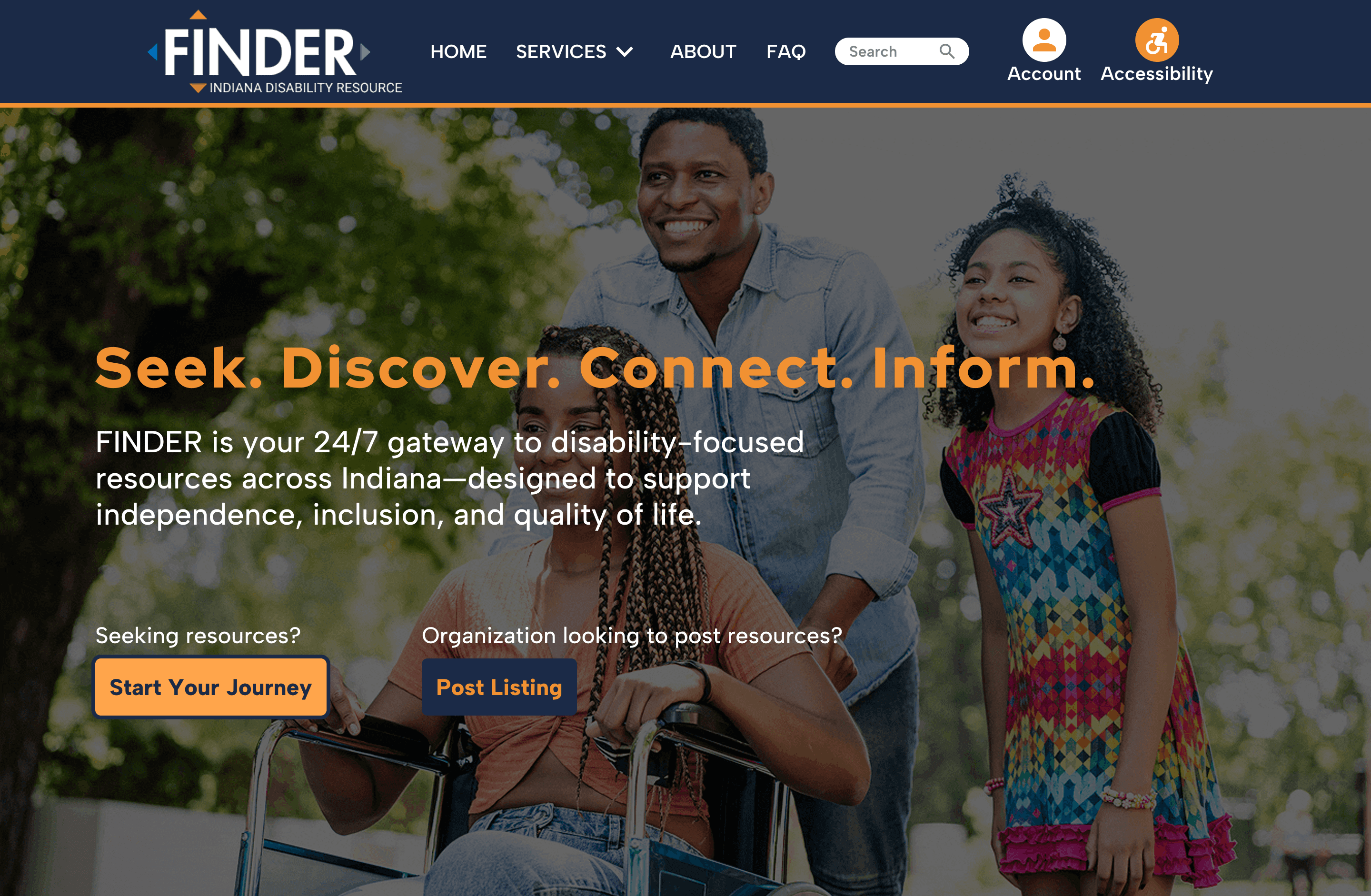
Recommended redesign
Pain Point 5: Filling out listing event information
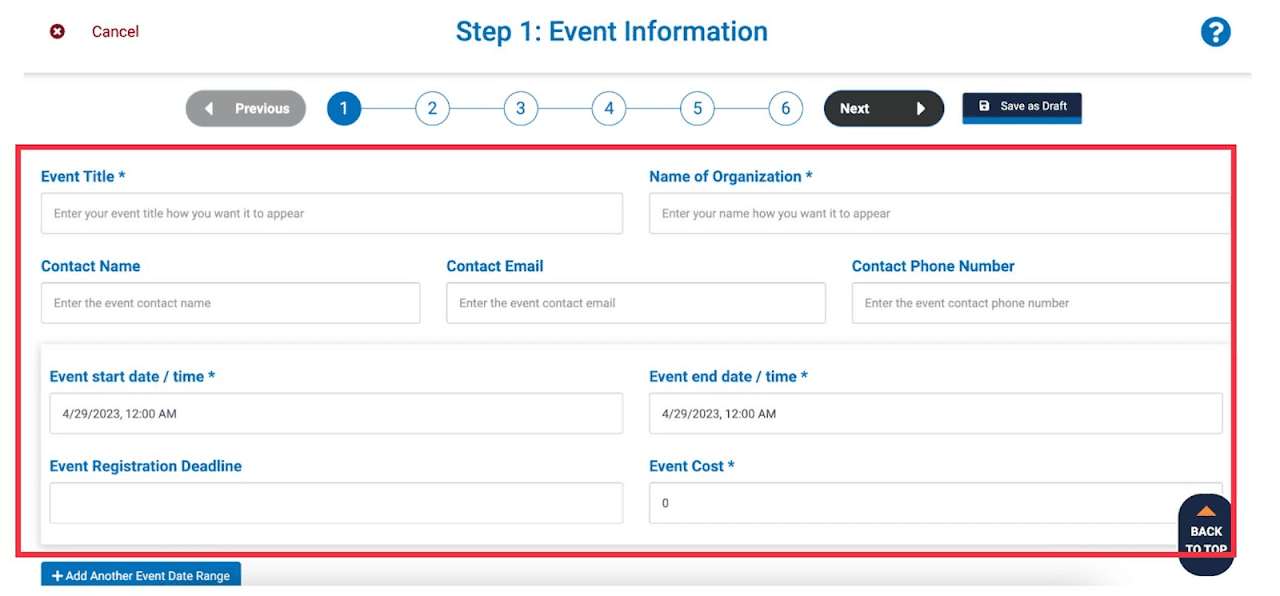
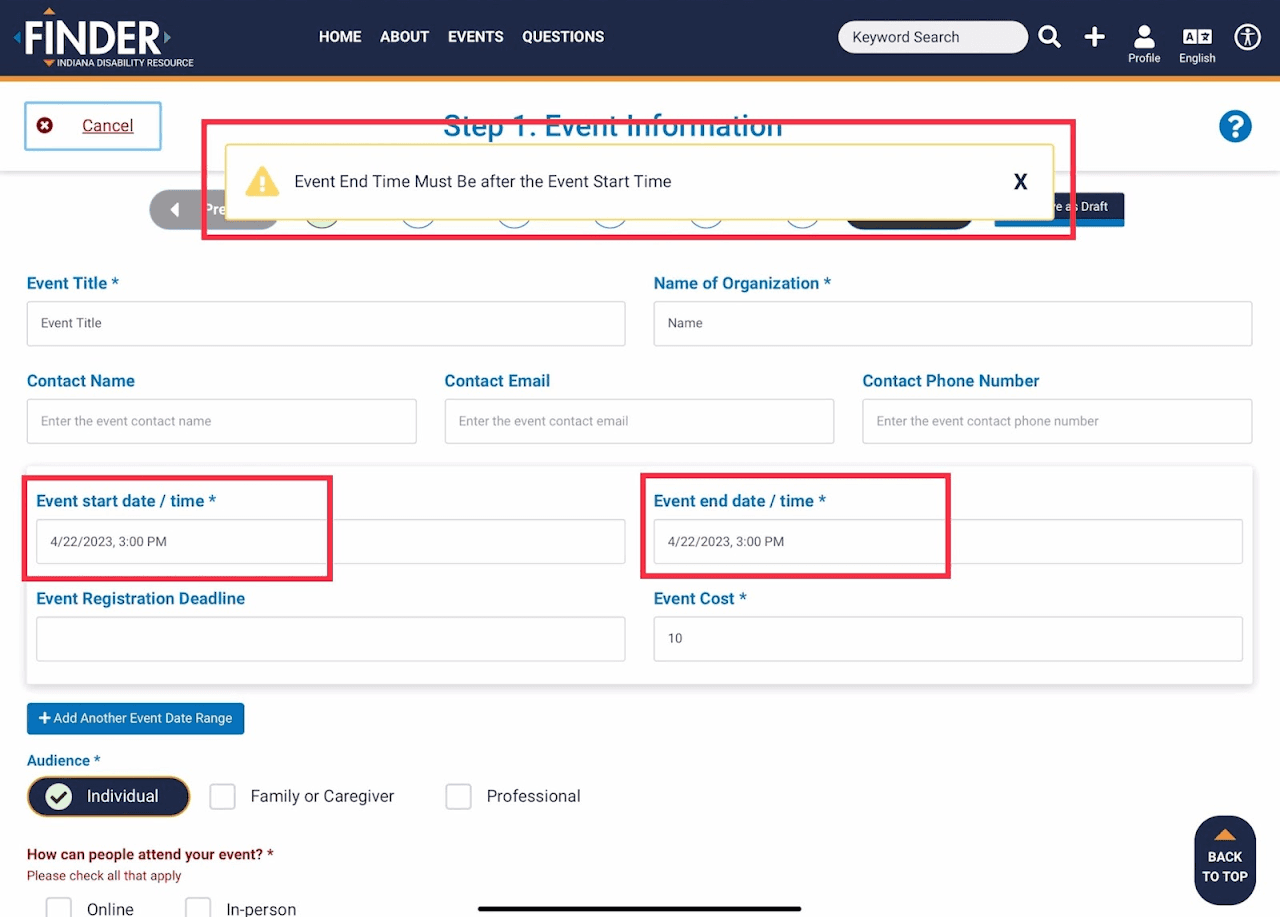
Recommendations


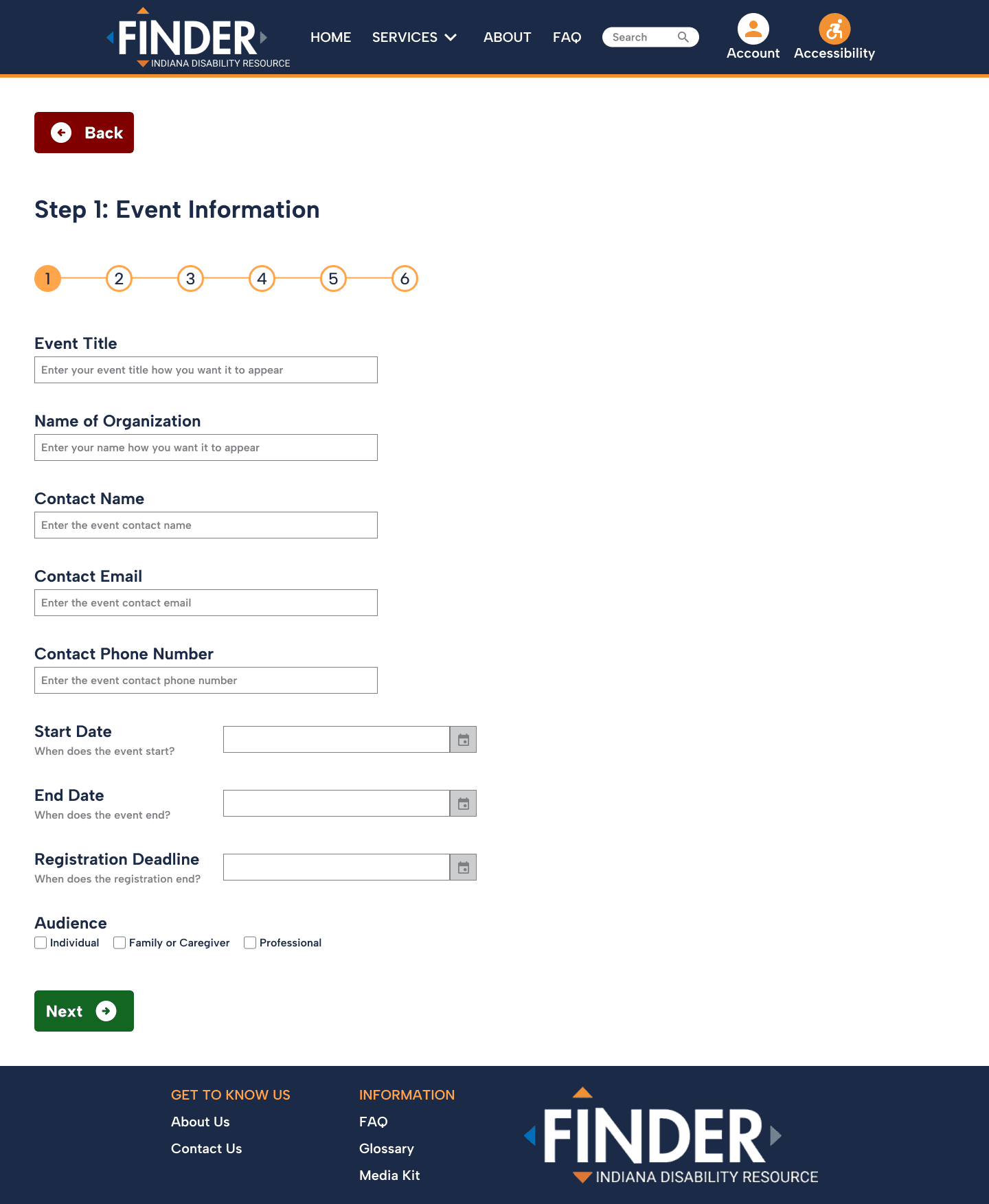
Recommended redesign
Pain Point 6: Finding event listing draft on profile page
1
One participant was confused about the "Start Your Journey" button on both the home page and profile page, and suggests splitting the entrance for different groups of people.
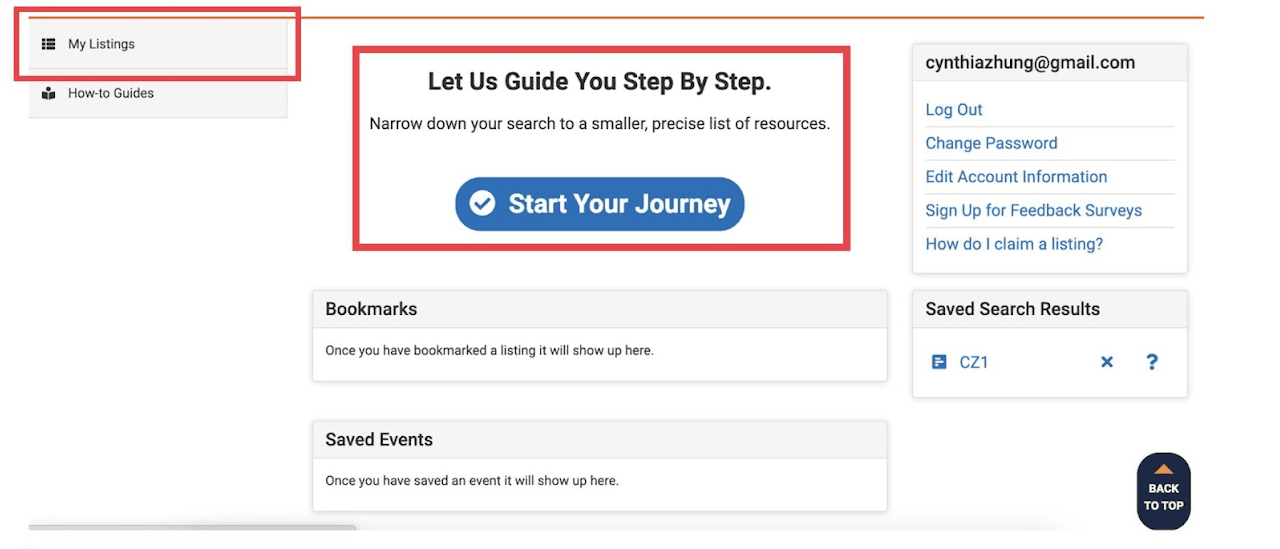
User’s profile page options, settings, resources, other, etc.
Recommendations

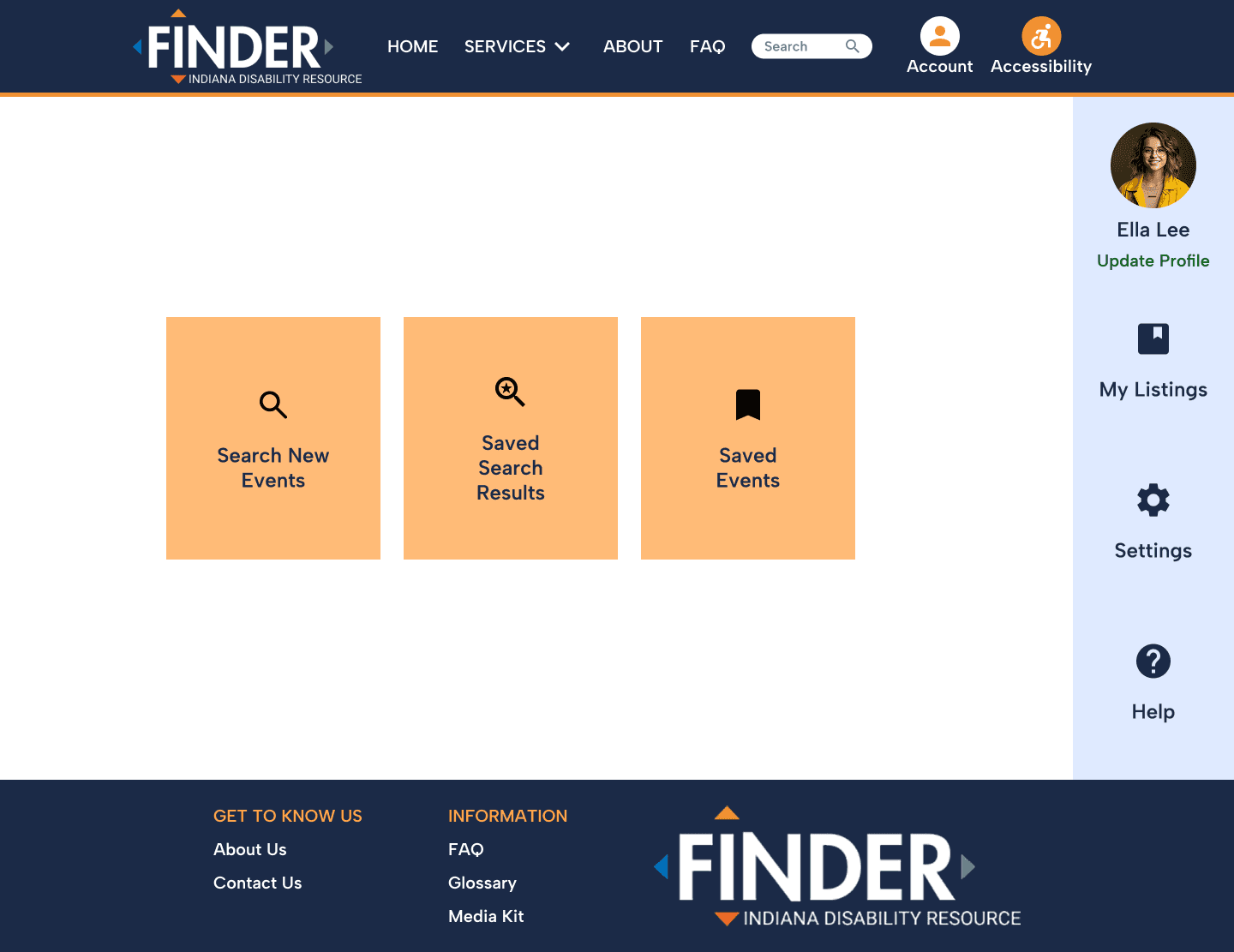
Recommended redesign
Pain Point 7: "Submit Now" Button Placement
1
The “submit listing” button appears on multiple pages even after clicking the button and users are confused if the plus sign icon means "new listing" or "new profile".
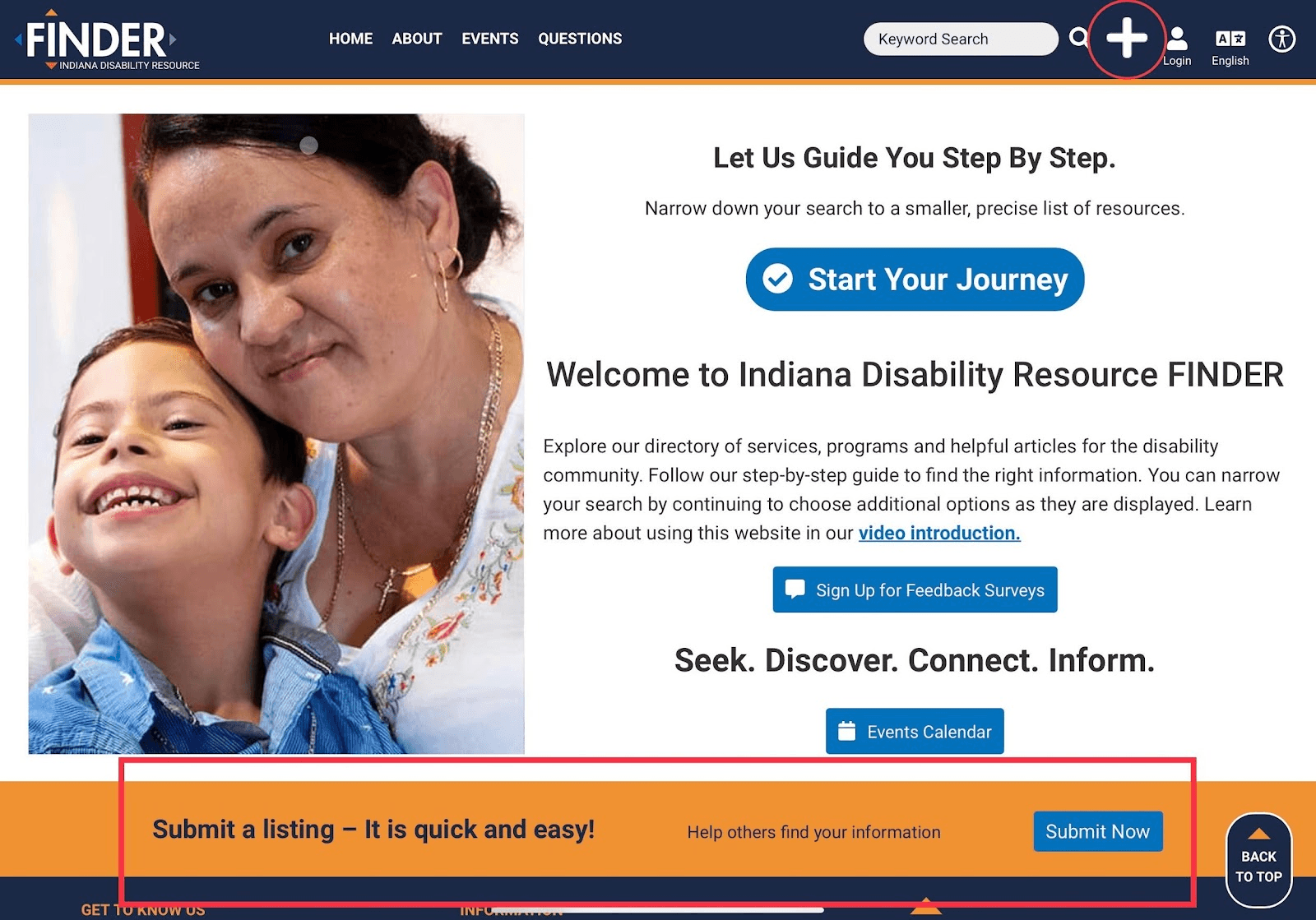
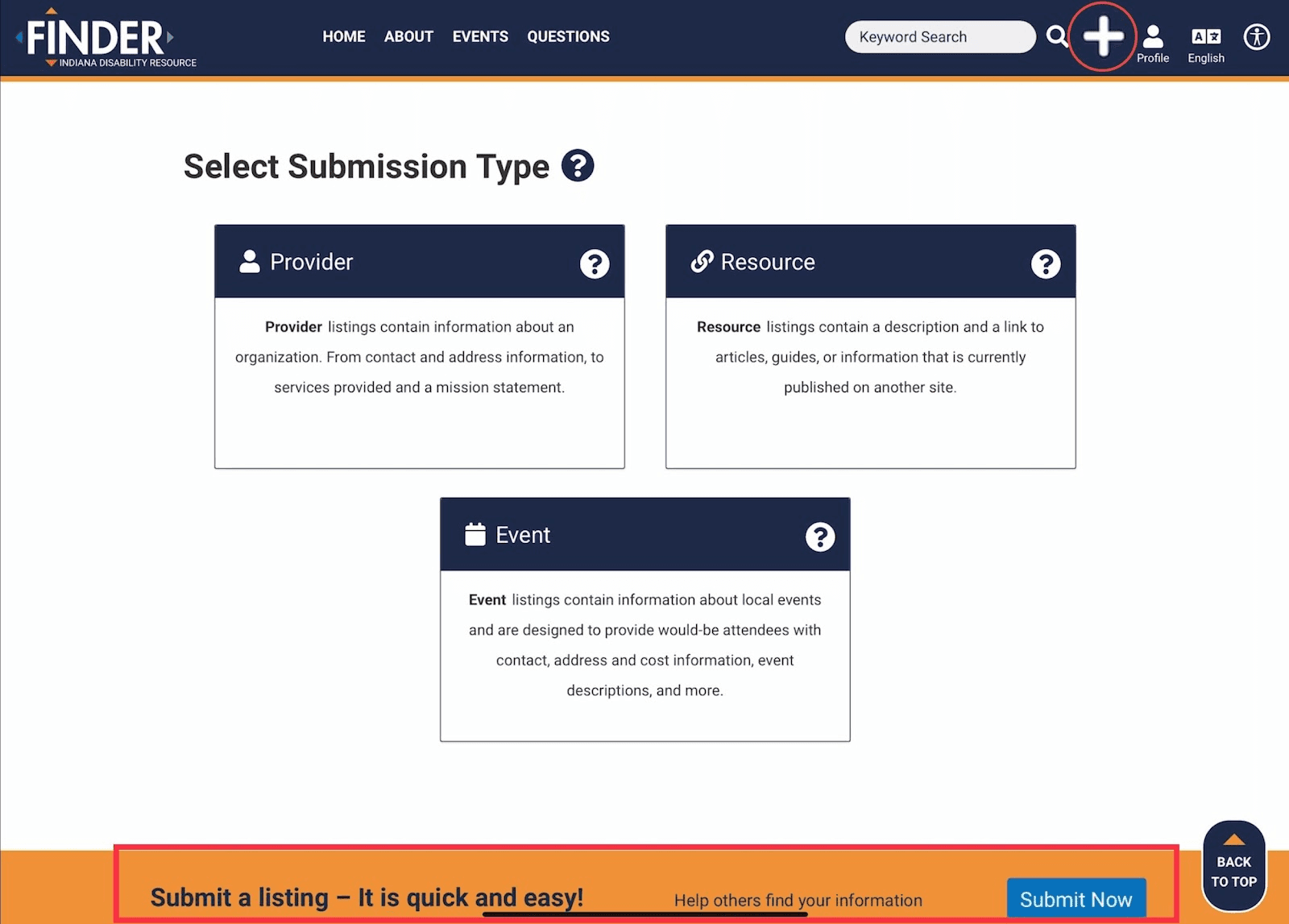
Example of the repetitiveness of the “submit now” footer asset while have already clicked the “submit now” button on the first screen capture.
Recommendations

Recommended redesign
Conclusion and Next Steps
Conclusion
In conducting this usability test, we hope to improve the Indiana Disability Resource Finder website's usability and user experience and ensure that it meets the needs of its targeted users.
Next Steps
• Given time to continue the project, we would look to either recruiting the same test participants or new ones, and create the same tasks as conducted in this study.
• We would then compile participant task data and compare between the old and new design, with metrics such as time on task, error rate, and self-ratings such as ease of use.
Lessons Learned
• Data is beautiful. Keeping observable data about the feelings that participants experienced helps in ensuring the most important areas of focus in a potential redesign.
• Scheduling and planning is vital. As our team was remote, we set up a calendar for when we were testing our participants and the different tasks that each member was designated to complete. I believe this was vital to our successfulness of this project.